
If you previously chose to take on transaction fees for your tenants, you’ll also be able to take them on in Innago. Using PlacePay, you would have previously taken the following steps:
1. After logging in to PlacePay, click on “Deposit Settings”
2. Under the section “Payments”, there are options to ‘Cover Bank Payment Fees’ and ‘Cover Card Payment Fees’; here you can toggle either option on or off by clicking on the oval. We provide the option to choose to cover only bank or card transactions, or you can cover both.
In Innago, you will follow these steps instead:
1. Go to “Settings” from your Dashboard.
2. Click the Billings Settings page.
3. Toggle “ON” the fee you would like to cover for your tenants.
4. Click “Save”.
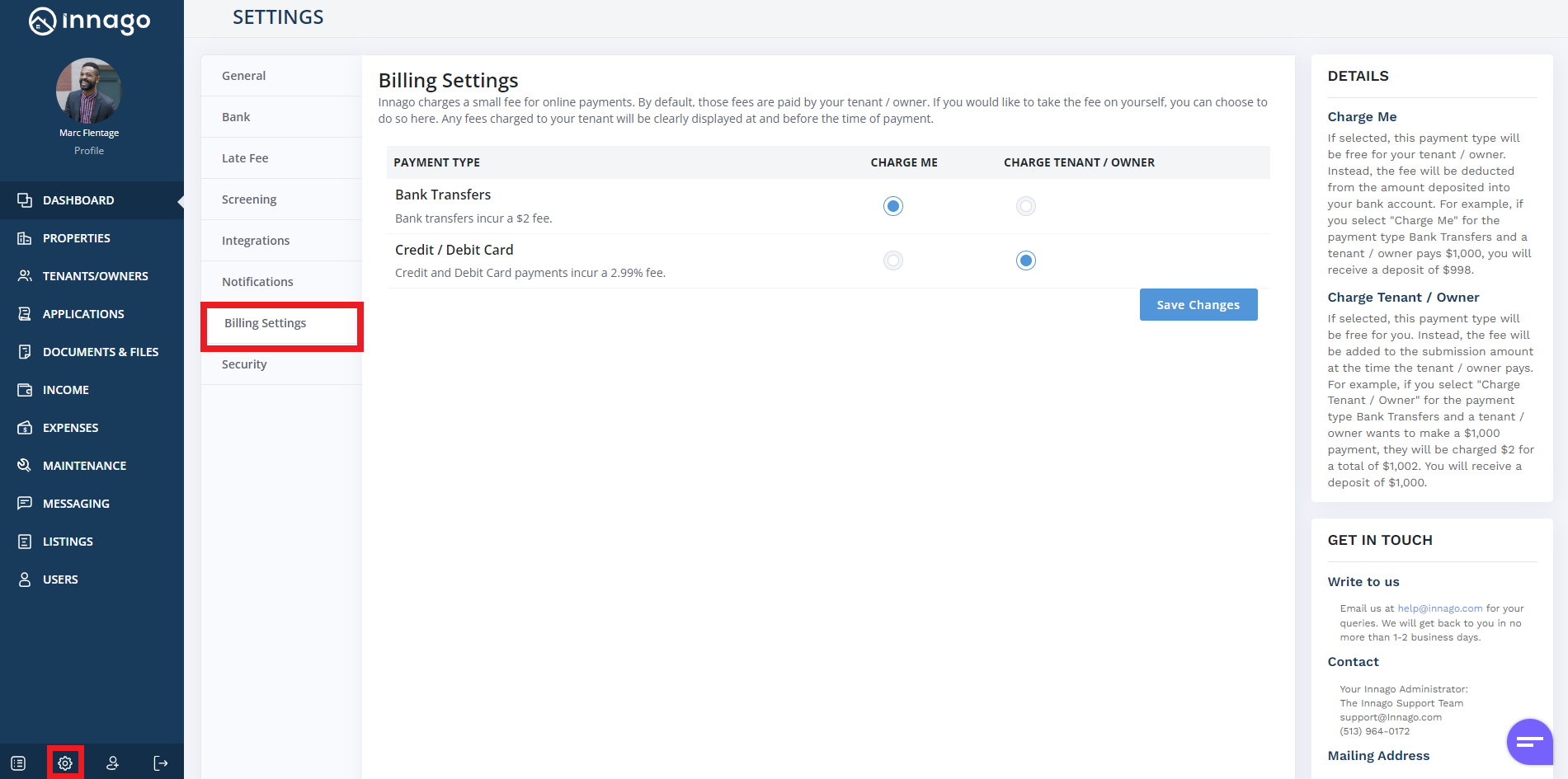
Similar to PlacePay, if you enable either, we simply take the fee off the payment amount, so you’ll receive your deposit, minus any fees. Please note, any processing fees that you cover are automatically recorded as an expense in Innago.