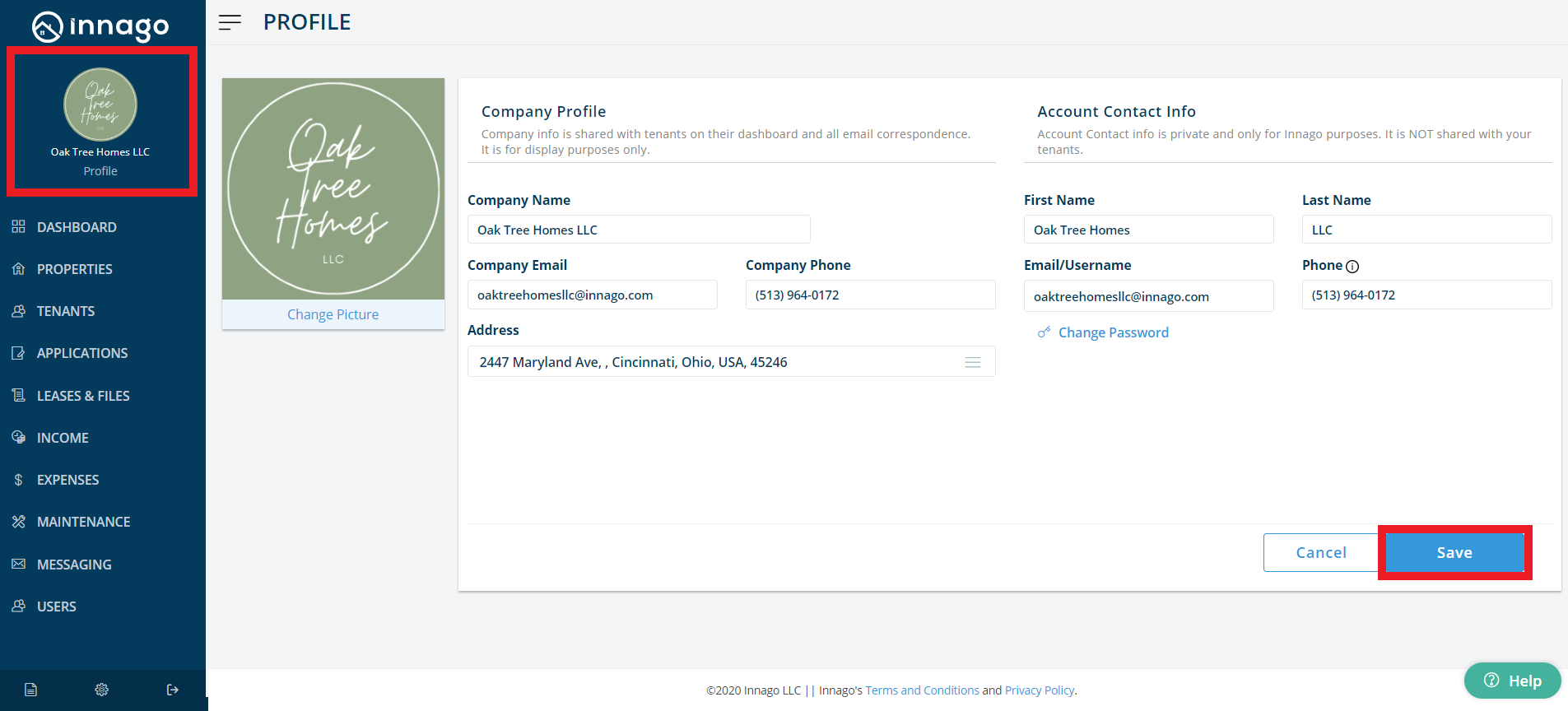
Using PlacePay, to change your email address you would’ve clicked “Edit User Settings” or “Edit Your Info” by clicking a button in an upper corner. In Innago, you’ll similarly click “Profile” located in the top-left corner on web, located at the top of the main menu on the mobile app.
Your Company’s contact information (e.g. address, company name, company email, etc.) is displayed to tenants. Account contact information (e.g. your name, phone, email, etc.) is private, and for Innago purposes only. Both can be edited from your profile.
1. In the top-left of the menu, click “Profile”.
2. You can edit your information here, as well as update a profile picture.
3. Company info and Account info can be the same, or different.
4. Click “Save” when finished.