
If you’ve previously set up a late and you need to edit it, you can easily do this by navigating back to Settings > Late Fee. Here are more detailed instructions below:
1. From the Innago menu on the left, click ‘Settings’ (the gear icon).
2. From the Settings menu, select ‘Late Fee’.
3. Click the set of vertical dots located to the right of the fee you want to edit, then click “Edit”.
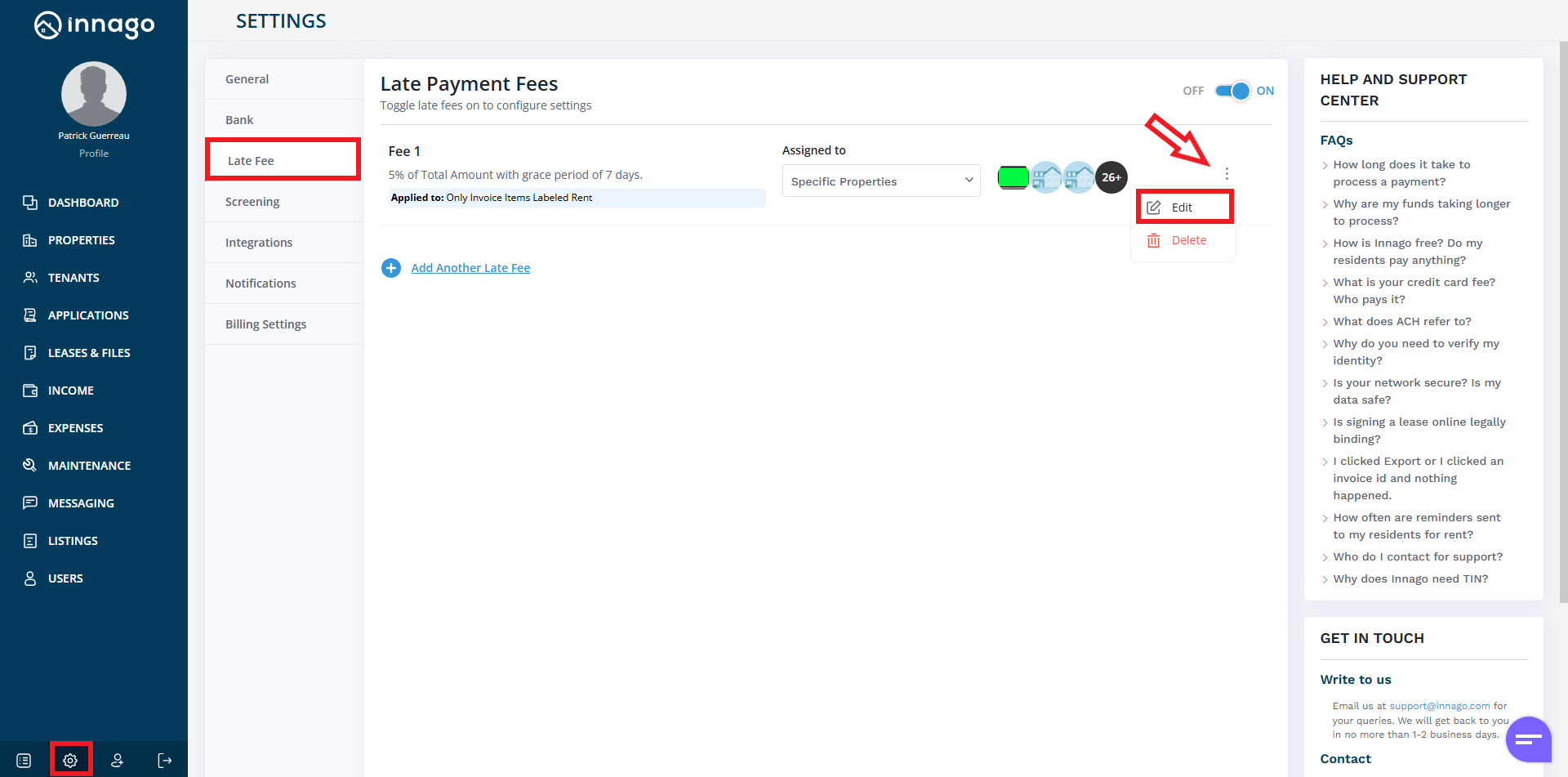
From here, you can go through the process of editing your late fee set up. If you need assistance understanding Late Fee Settings, you can click here.
If you’ve noticed that late fees have stopped running, please refer to the article Why Did My Late Fee Stop Running?