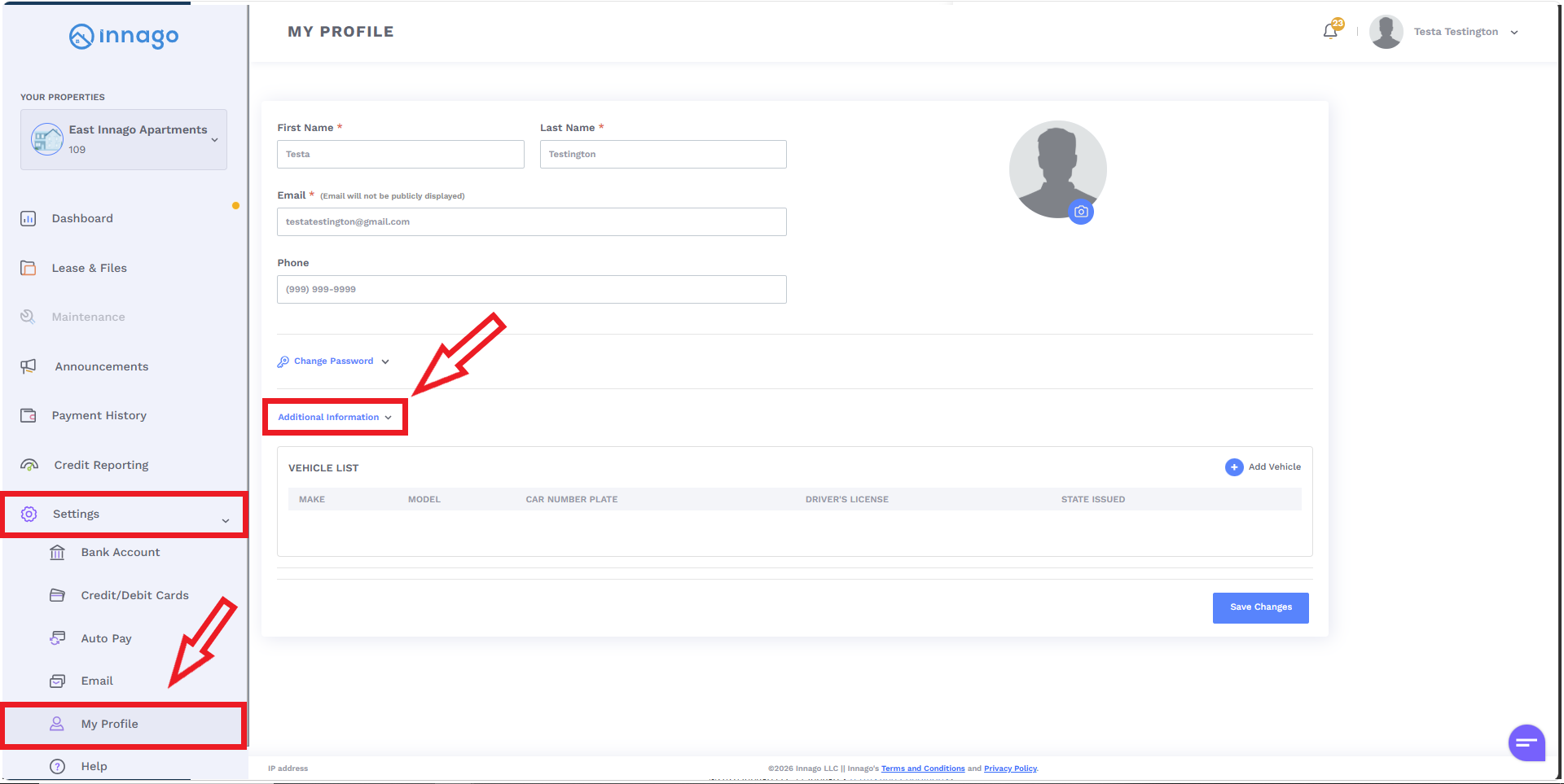
If you’d like to provide your vehicle information in Innago, you’ll just login and take the following steps:
1). Click “Settings” from your main menu.
2). Click “My Profile”.
3). Click “Additional Information”.
4). Click “Add Vehicle”, and then “Save Changes” once you’re done.