If you need to add a new bank account to your Innago profile, you can easily do this by following the steps below:
Settings > Bank:
1. From the Innago menu on the left, click “Settings” (the gear icon).
2. From the Settings menu, select “Bank”.
3. If this bank account will be under a new entity, click “Add another Taxable Entity”. If you’re just adding a new account under an existing entity, click “Add another bank account”.
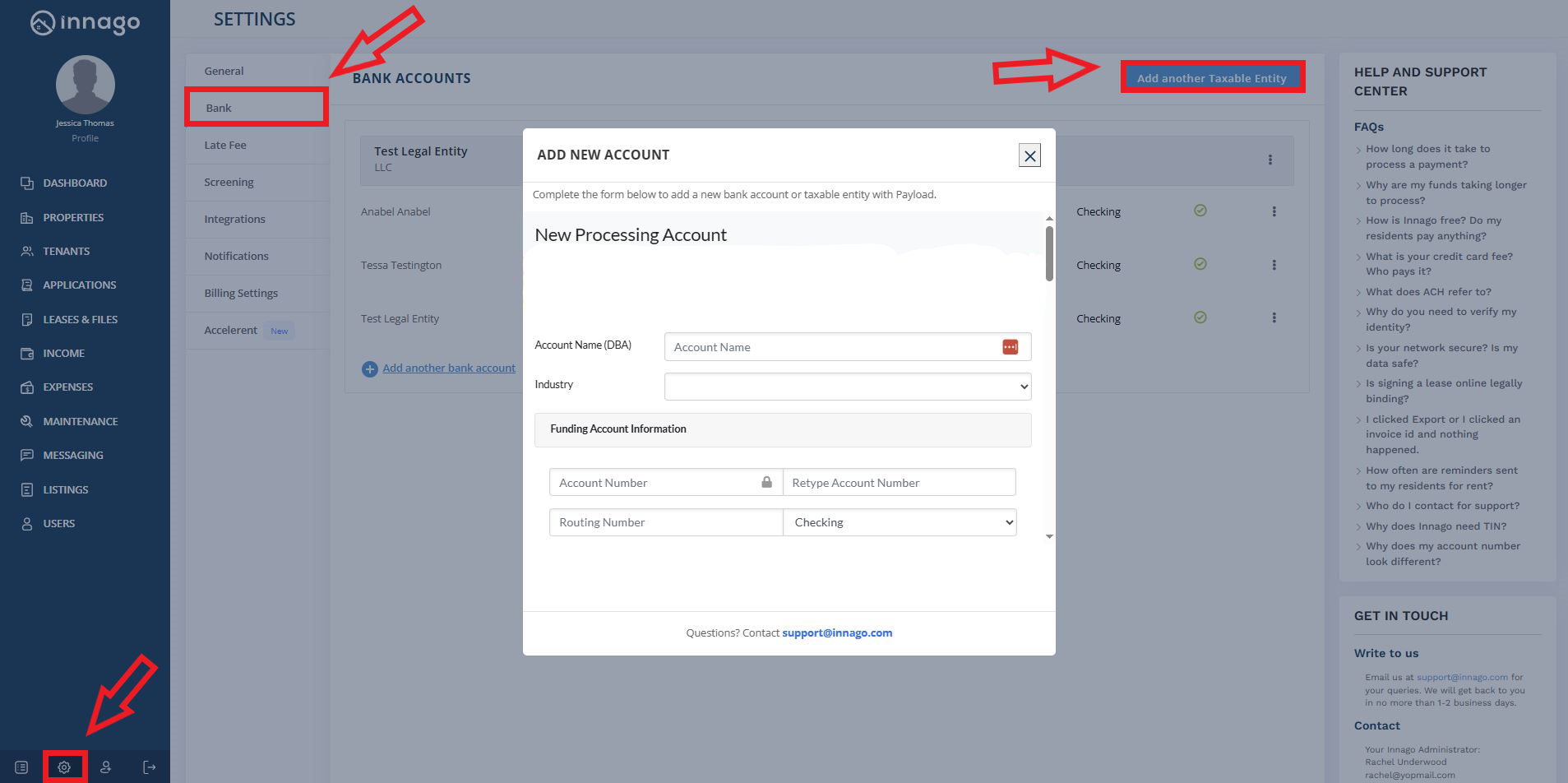
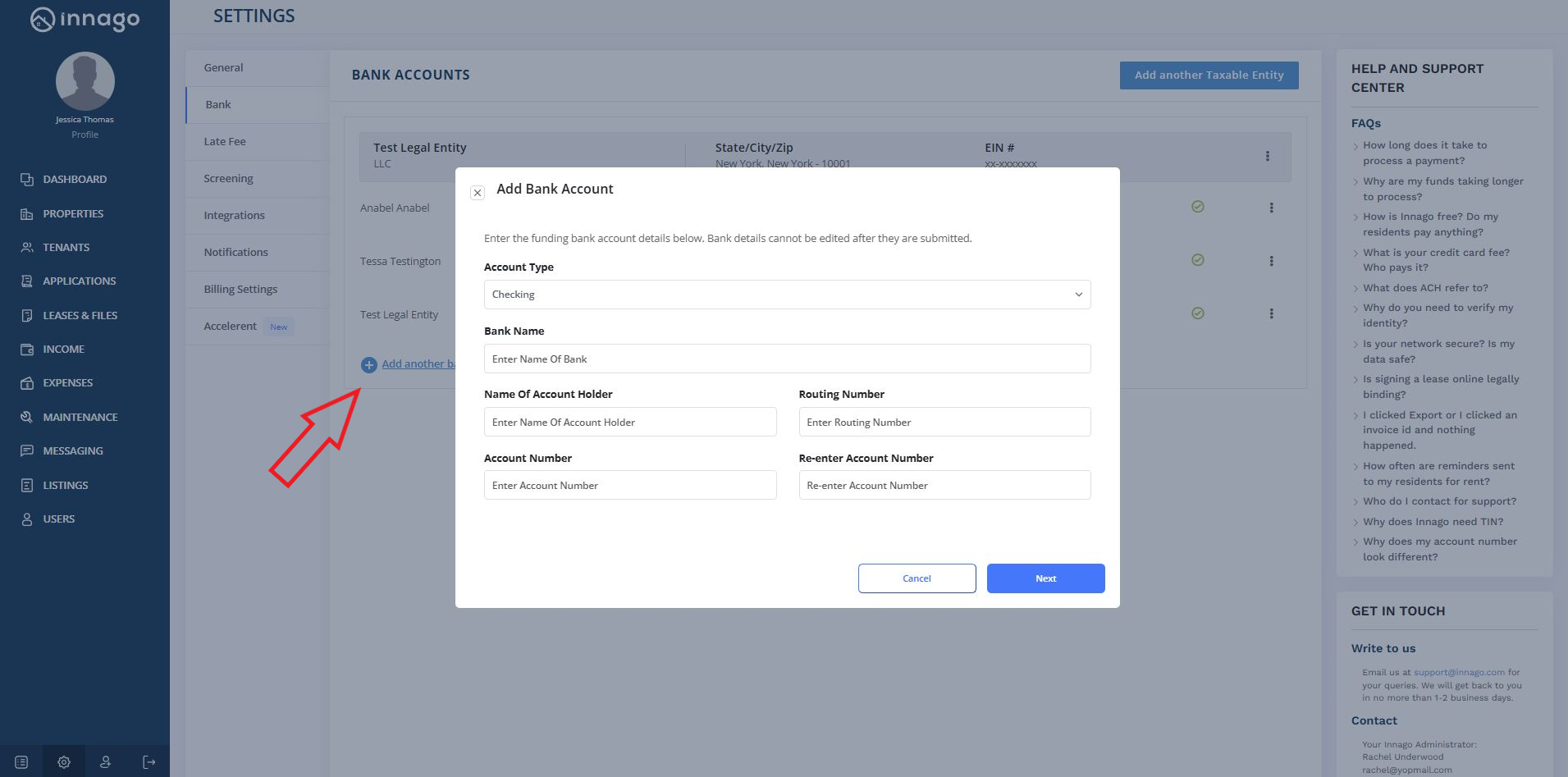
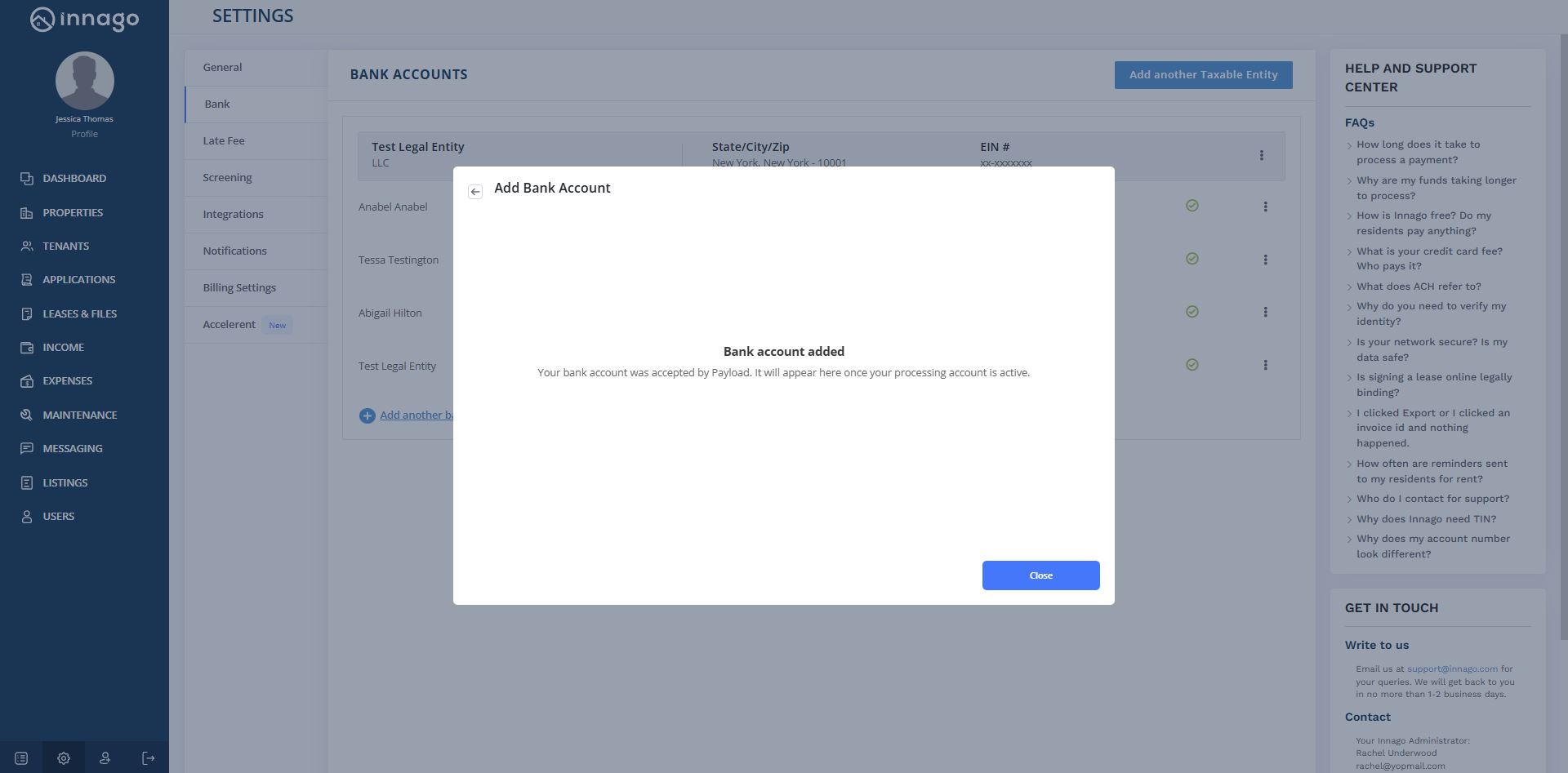
4. Complete all the required information after you make either selection. Once finished, you’ll see a message that your bank account was accepted by Payload.
Please note, it can take 5-10 business days for your bank details to finish processing and to appear in your Innago profile.