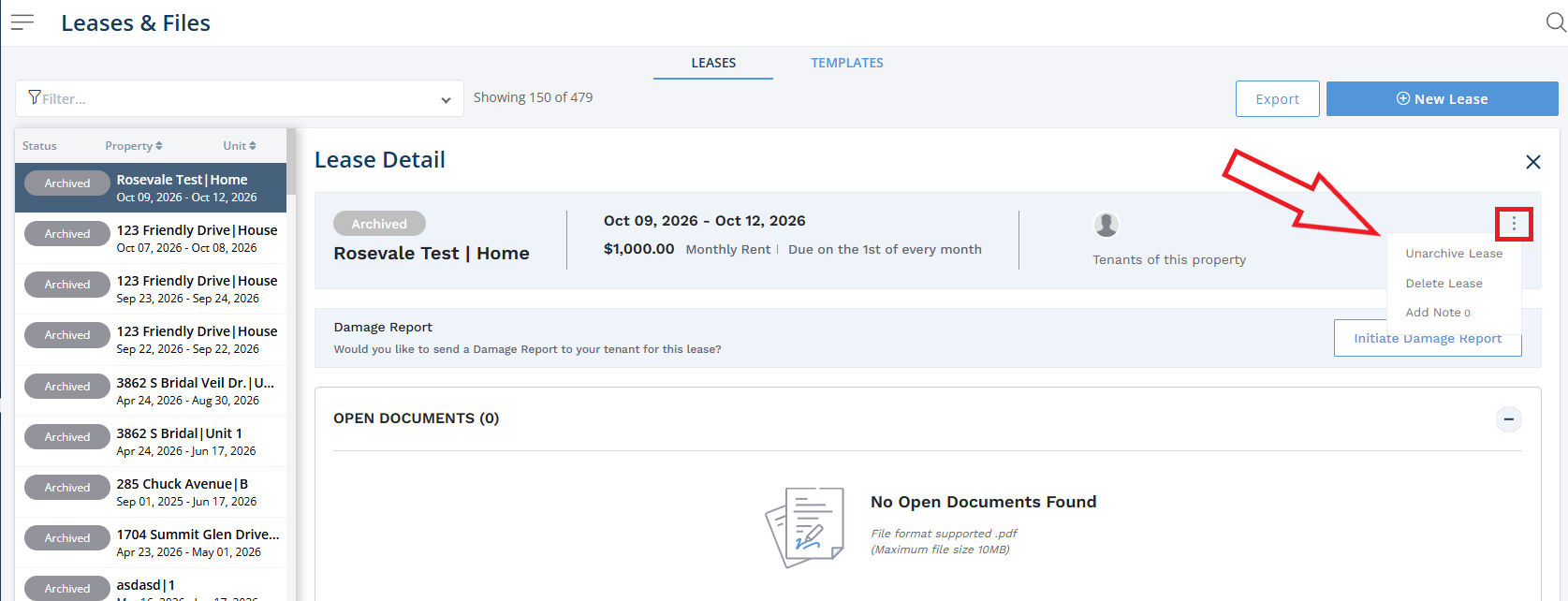
If you ever archive an expired lease, you can always later unarchive it by following the instructions below:
1. From the Innago menu on the left, click “Leases and Files”.
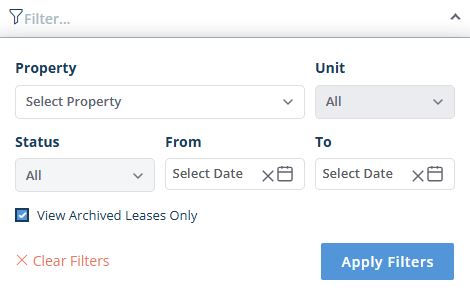
2. Use the Filter Tool near the top of the page to filter to archived leases only, then select the lease term you would like to unarchive by clicking anywhere within the row that includes its details:

3. Near the top-right corner of the screen, click the set of vertical dots as shown below to access the action menu. Click “Unarchive Lease”.