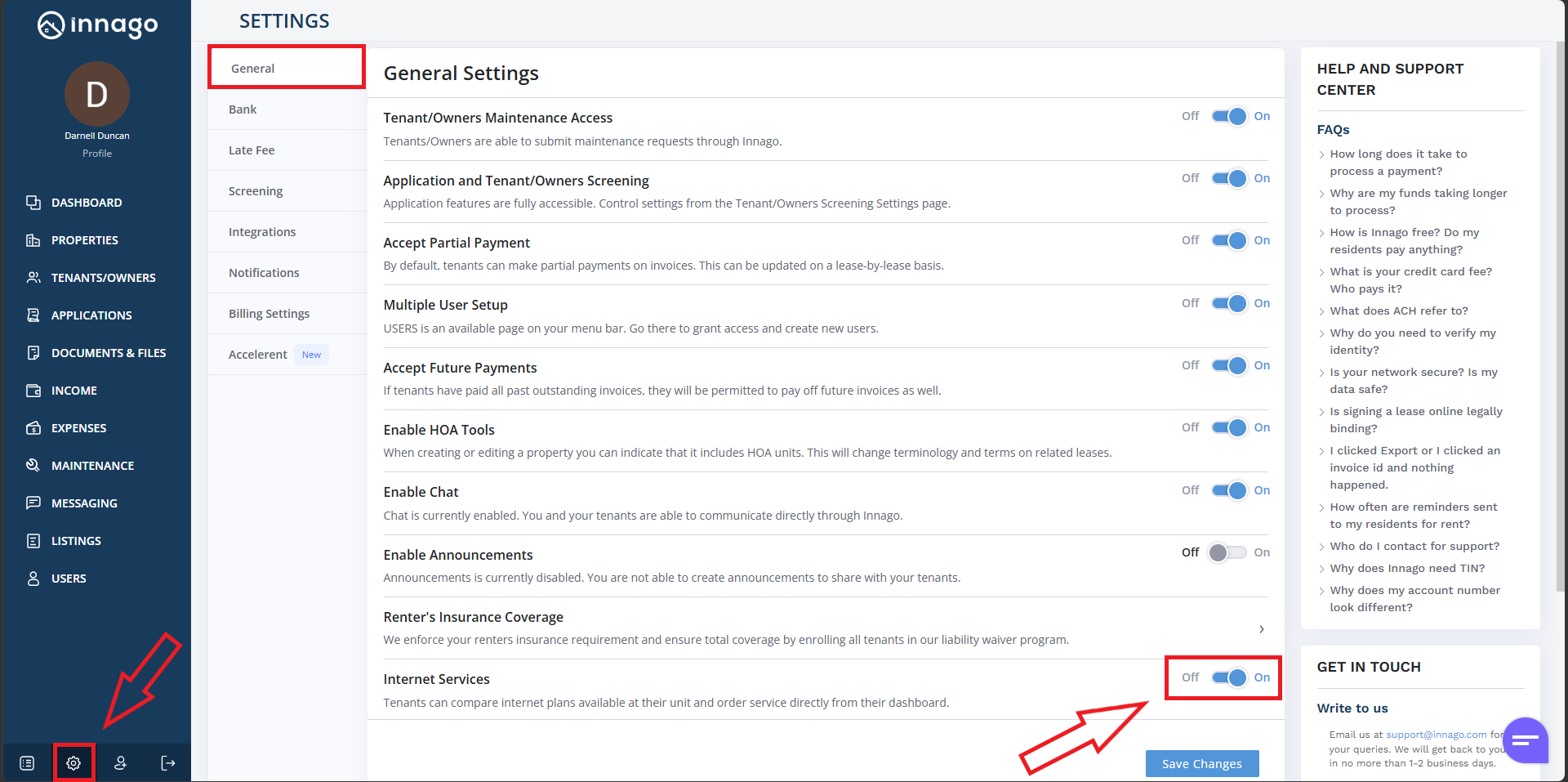
If you don’t already provide internet service for your tenants, they can shop for wifi plans directly from within their Innago account. If you already provide internet service, or just want to disable their option to shop for wifi plans, you can always disable this from your Settings.
By default, your Internet Services setting will be turned on and available to all tenants. You may see a pop-up when you first login to your account that will inform you of this.
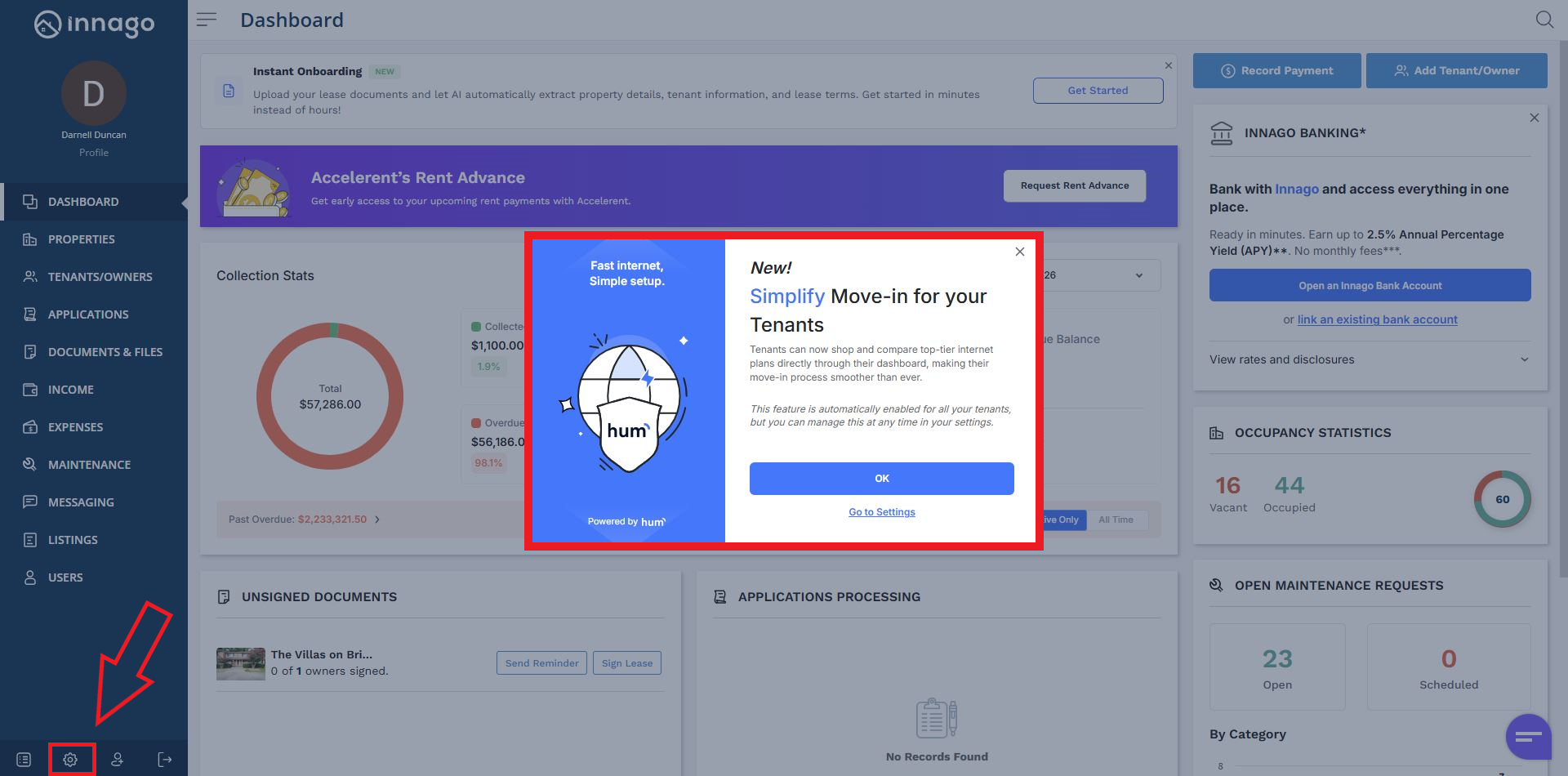
If you would like to disable Internet Services, either click “Go to Settings” on the pop-up window, or click the gear looking icon located in the bottom left corner of your screen.
Once you’re on your Settings page, you can toggle Internet Services on or off whenever you’d like, as shown below. Please note, this is a global setting and will impact all tenants. You will not be able to enable or disable this setting on a per-property or per-lease basis.