
After submitting a payment for your application, you’ll have one last step to complete before reports are shared with the landlord.
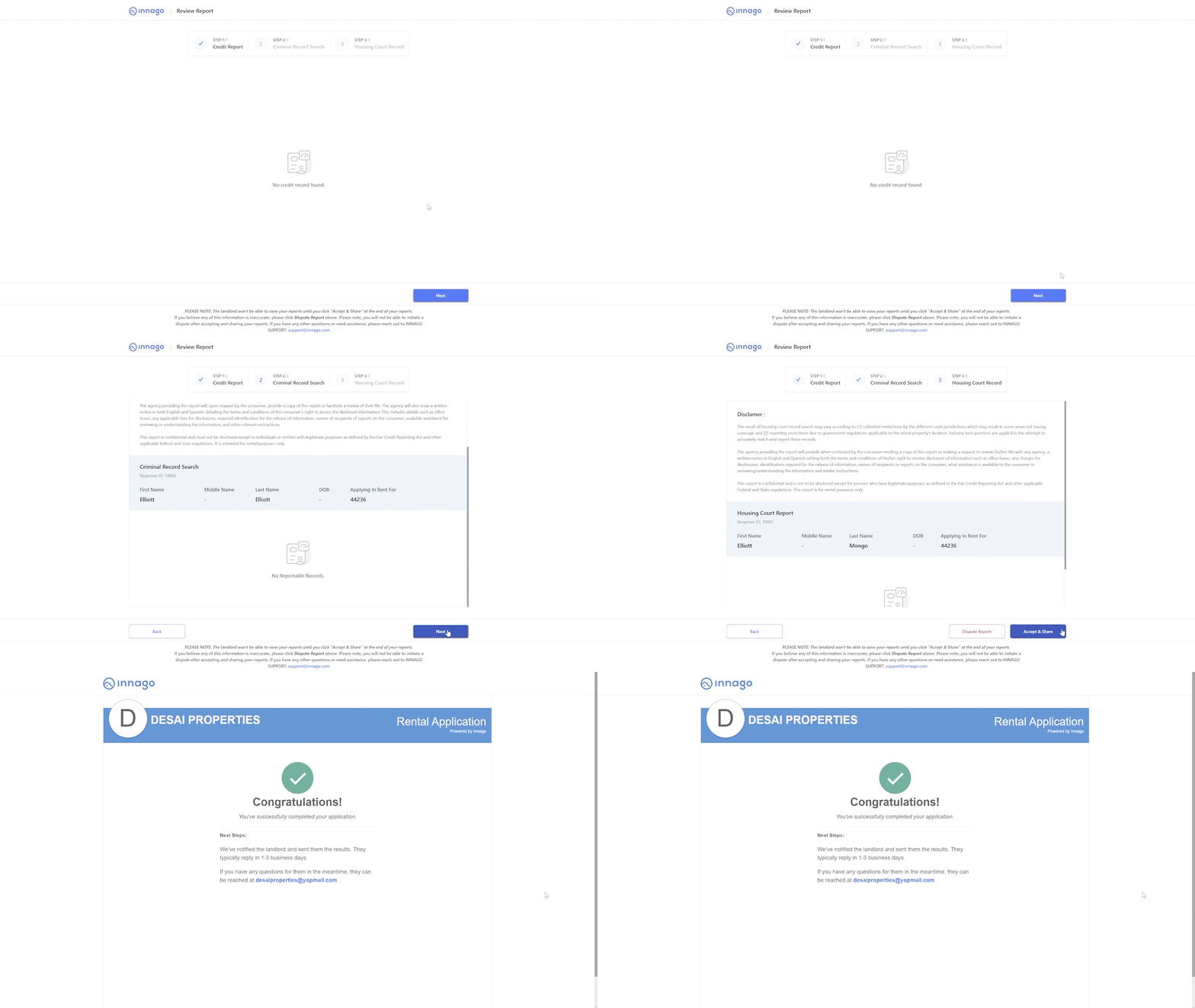
You’ll be given the opportunity to review your reports for any discrepancies before the landlord can review them. Click “Next” to proceed from one report to the next. If something looks off, be sure to click the Dispute Report button on the final screen, as shown in the GIF below. If everything looks good, click “Accept and Share”. A confirmation page will display once you’ve successfully completed this step.
Please note, if you’ve already exited out of the application, you’ll simply log back into it via https://auth.innago.com. If you never set up a password, simply click “Reset Password” on the second screen of the login page in order to set up password access.