After sending out a lease document to your tenants, you have two ways you can access the document once you’re ready to sign:
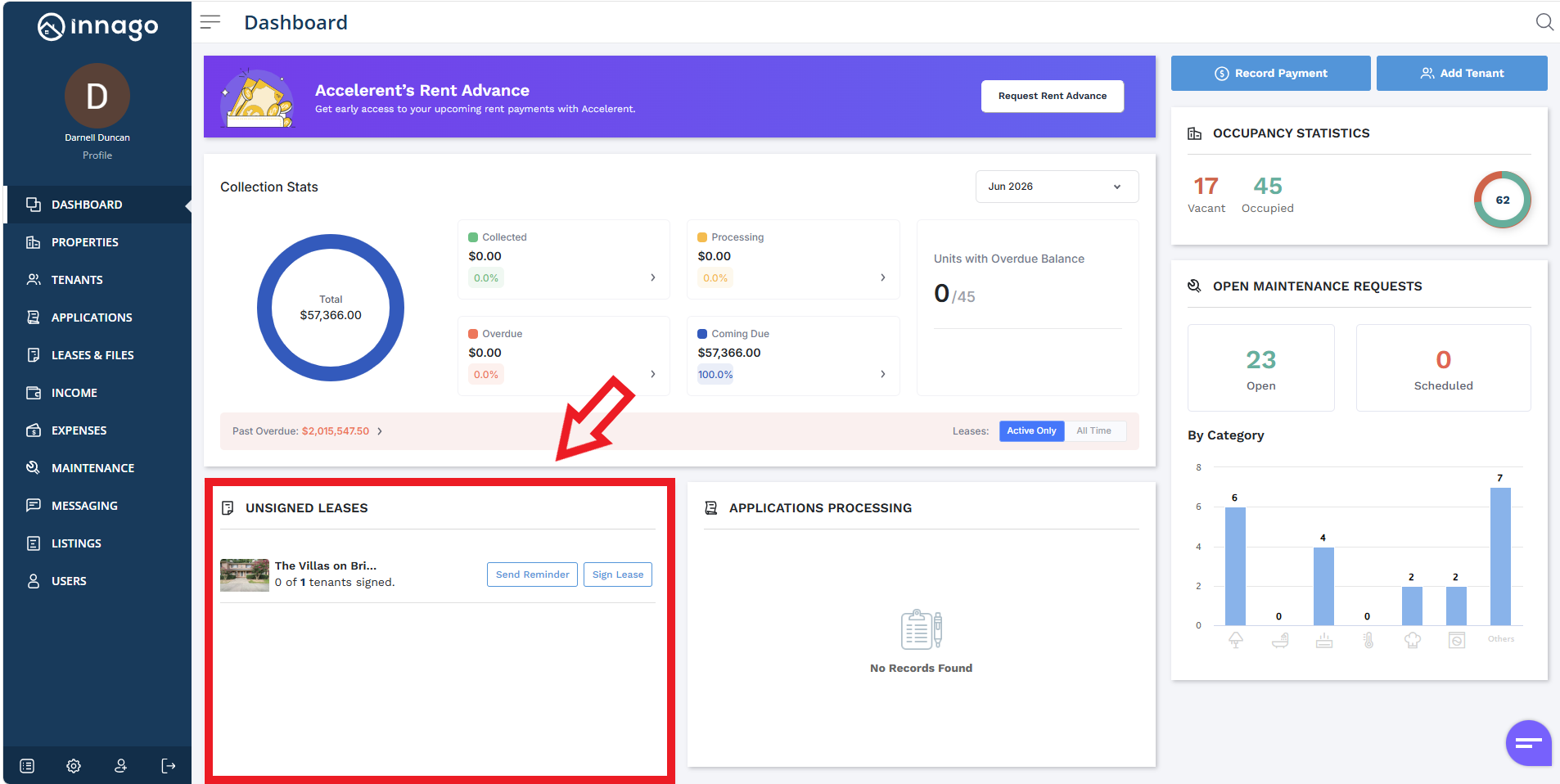
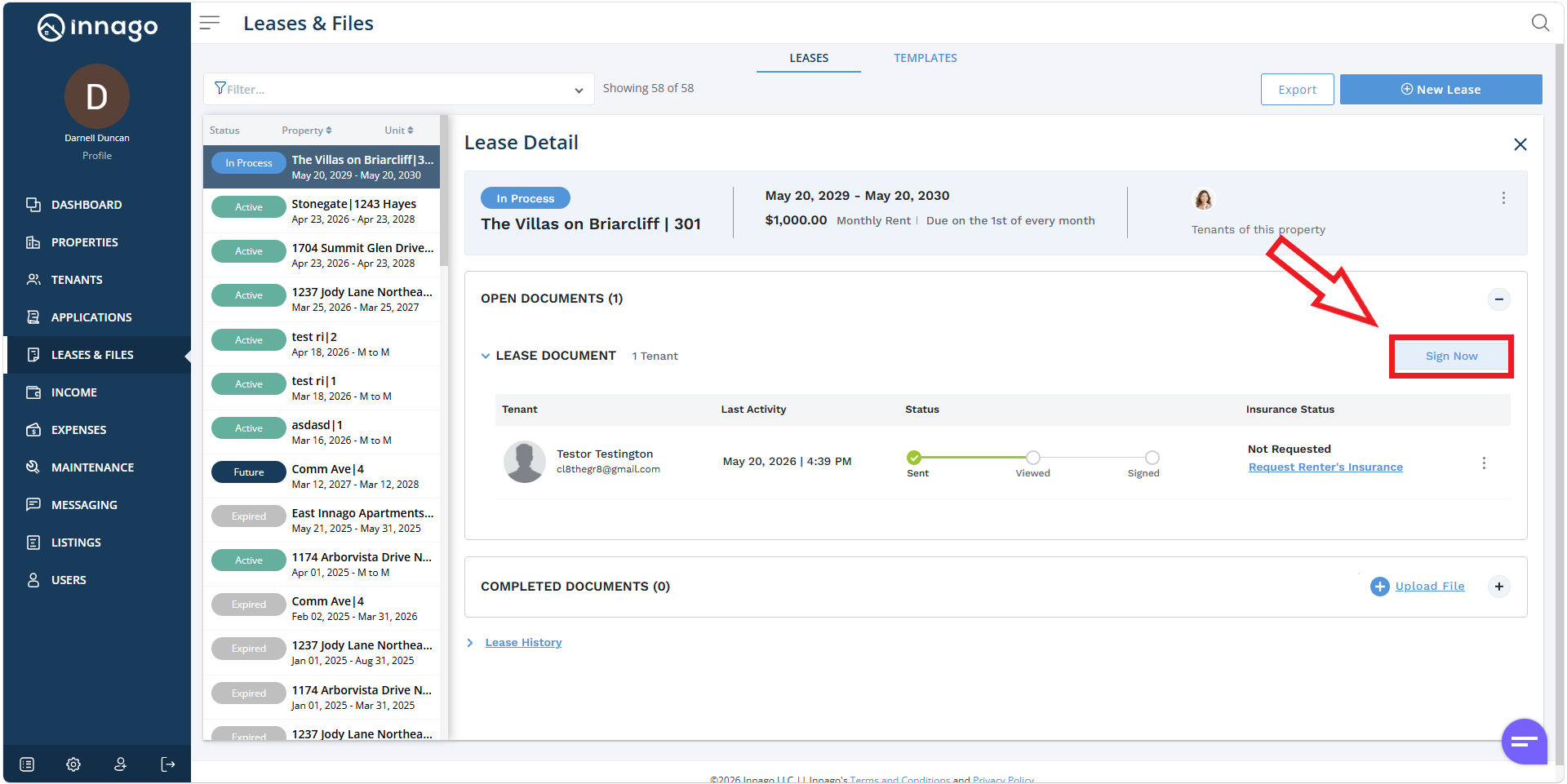
From your Dashboard click “Sign Lease” under the Unsigned Leases section, or click on “Leases and Files” from your main menu on the left, clicking “Sign Now” afterwards.
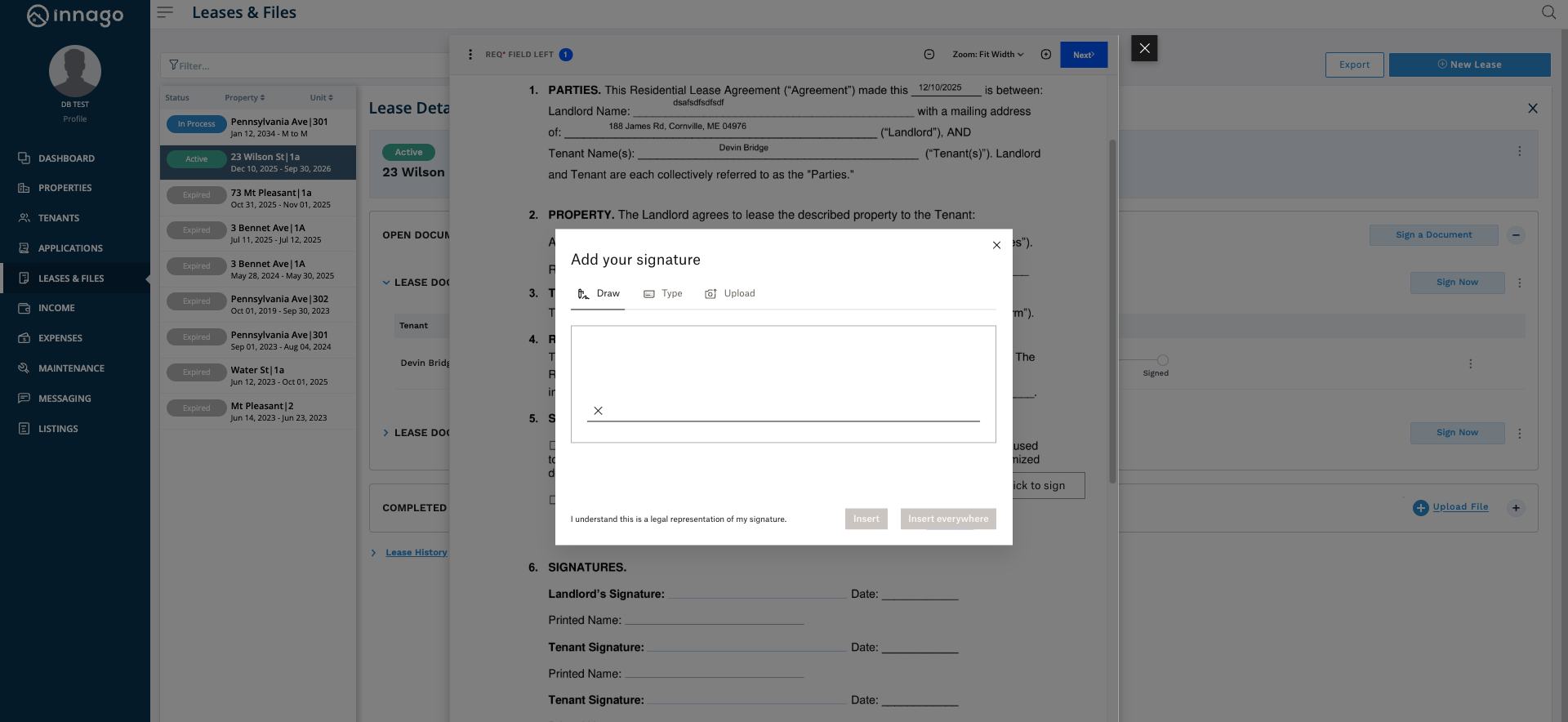
Clicking either option will initiate the signature phase. You’ll be able to fill in any relevant fields, and sign the document by drawing, typing, or uploading your signature. Once you’ve completed all the required fields and signatures etc., you’ll be able to finalize the document.