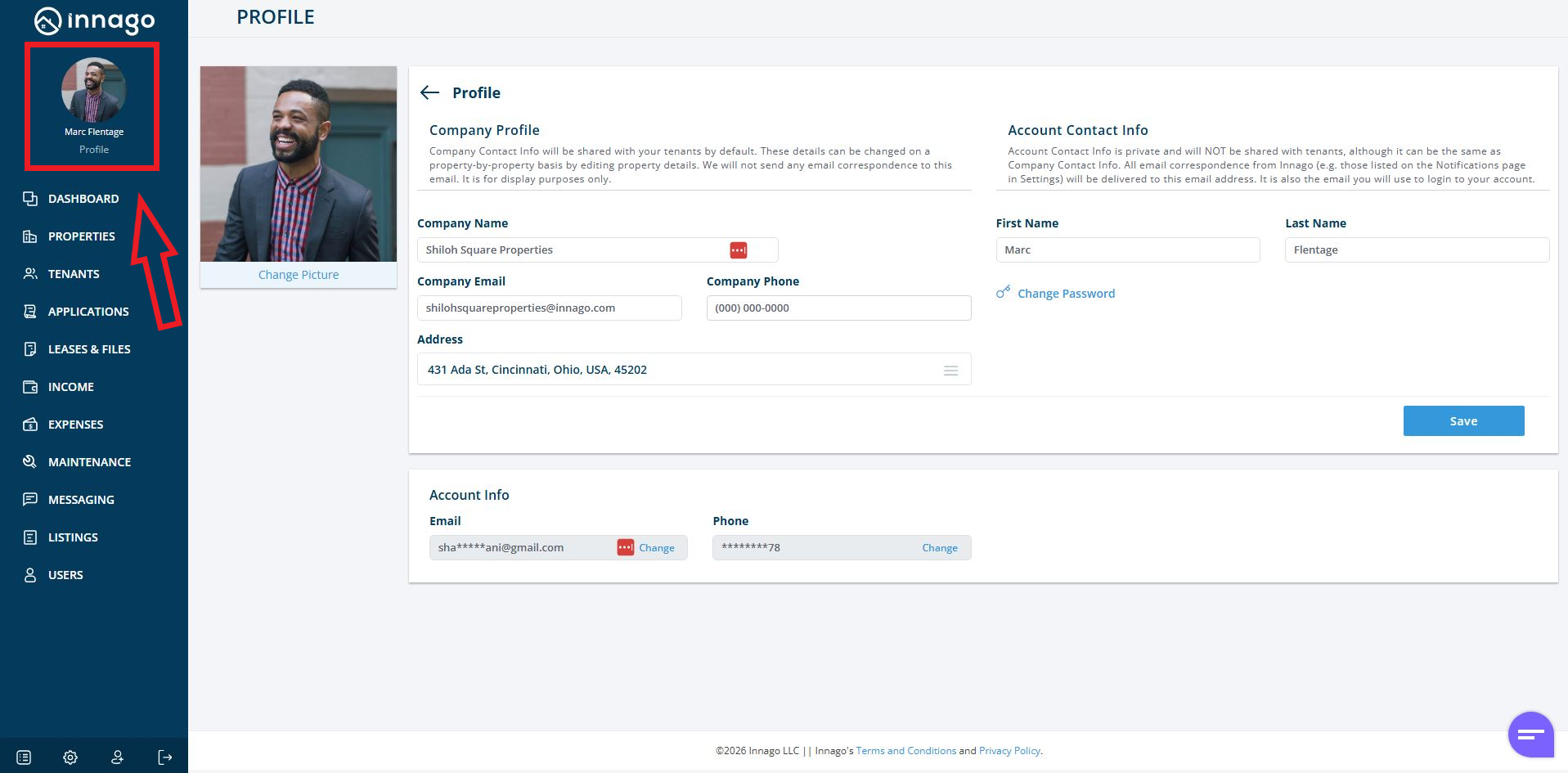
In Innago, you’ll have a few different areas where you can input contact information. The only information that will be shared with tenants is your Company Name, Company Phone, and Company Email, all located within your Company Profile of your account. You can access this information by clicking on Profile in the top left corner.
None of the information under Account Contact Info and Account Info is shared with tenants.
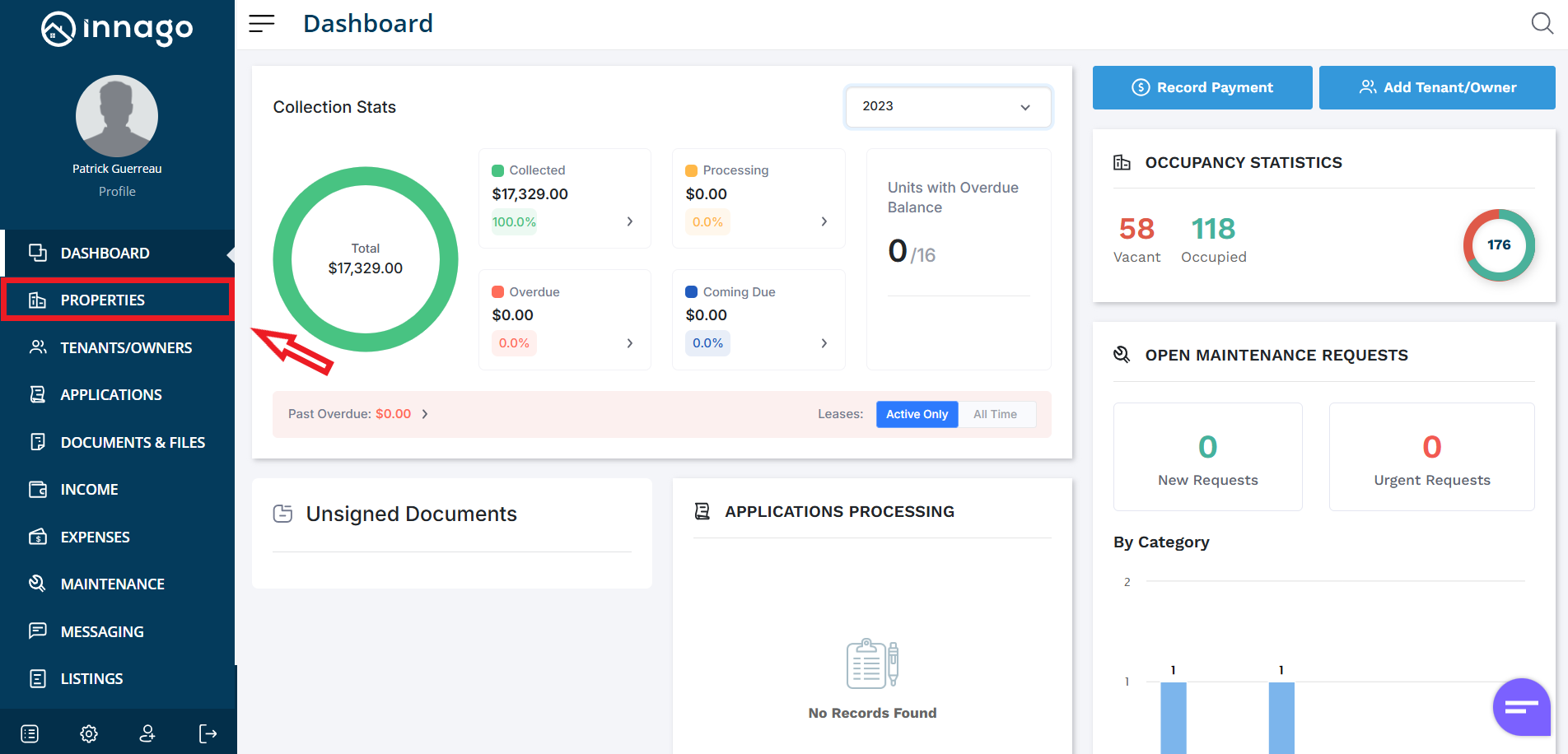
If you would not like to share these details with your tenants, or if you have some other property specific contact information, you can edit what’s shared with tenants on a property-by-property basis. Just follow the instructions below:
1. From the Innago menu on the left, click “Properties”.
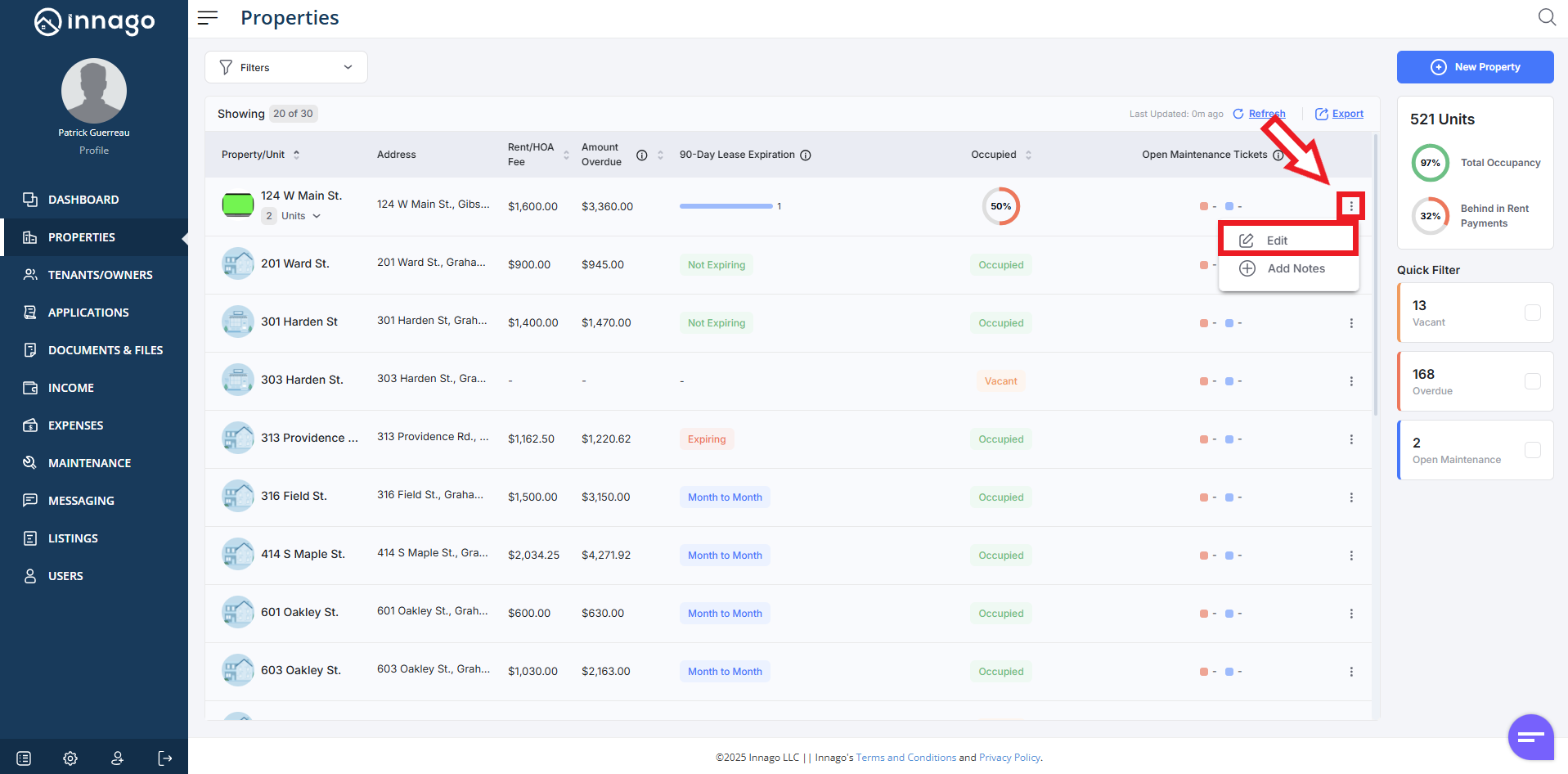
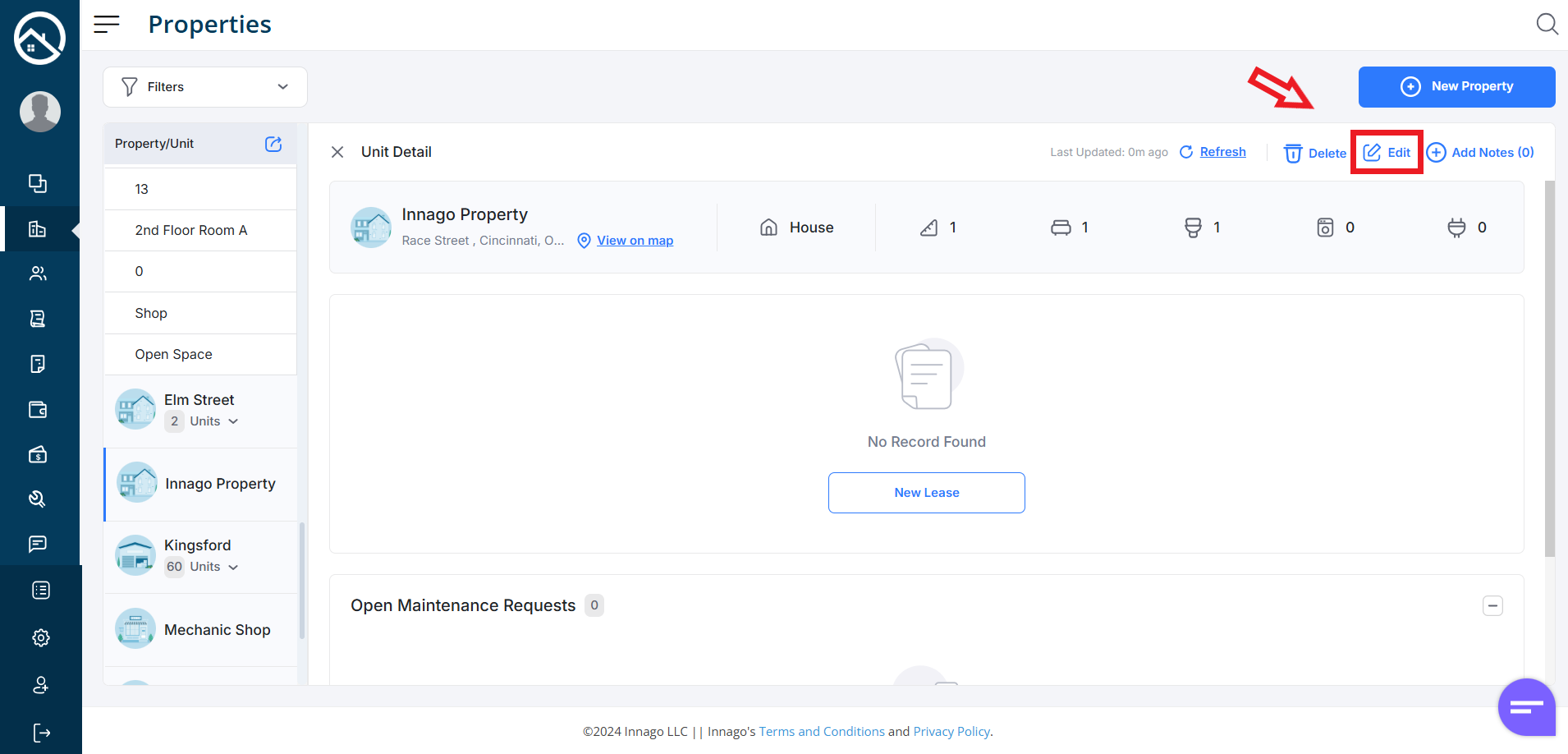
2. Click the set of dots next to the property you would like to edit. Click “Edit” from the action menu. Please note, you can also click “Edit” from the Unit Detail screen if you’ve already clicked on the property directly.
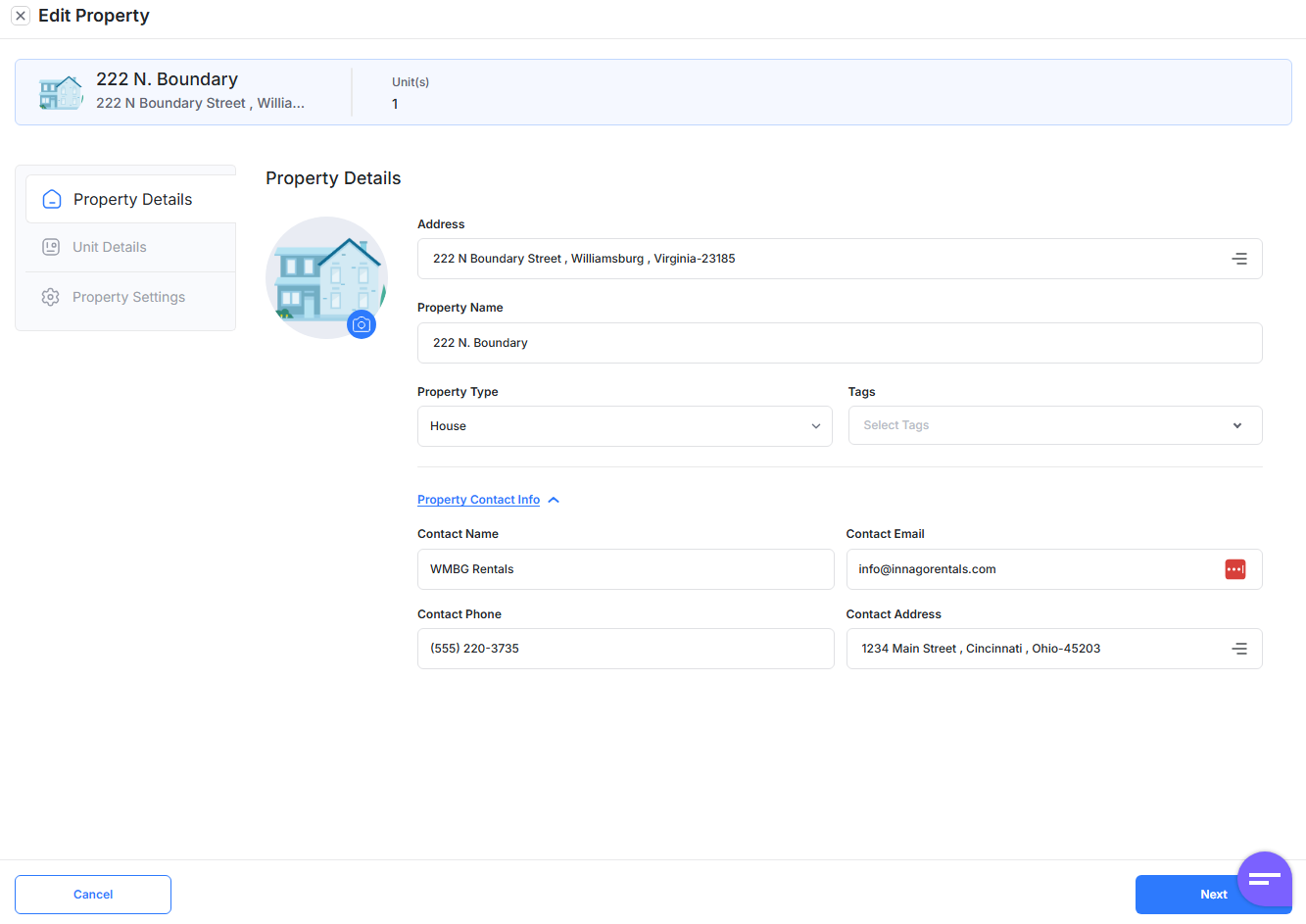
3. Click Property Contact Info to set specific contact information for the property.
Click “Next” to proceed to Unit Details where you can edit or add units, and then finally Property Settings, where you can assign bank accounts or late fees. Click “Save” in order to complete your updates.