
At Innago, we understand that receiving funds as quicky as possible is a crucial for landlords and property managers. Now that we’ve partnered with Accelerent, you’ll have the opportunity to actually receive funds in advance. In this article, we’ll cover how to apply for and set up Accelerent on your Innago profile. For more general information and FAQ’s about Accelerent, please click here.
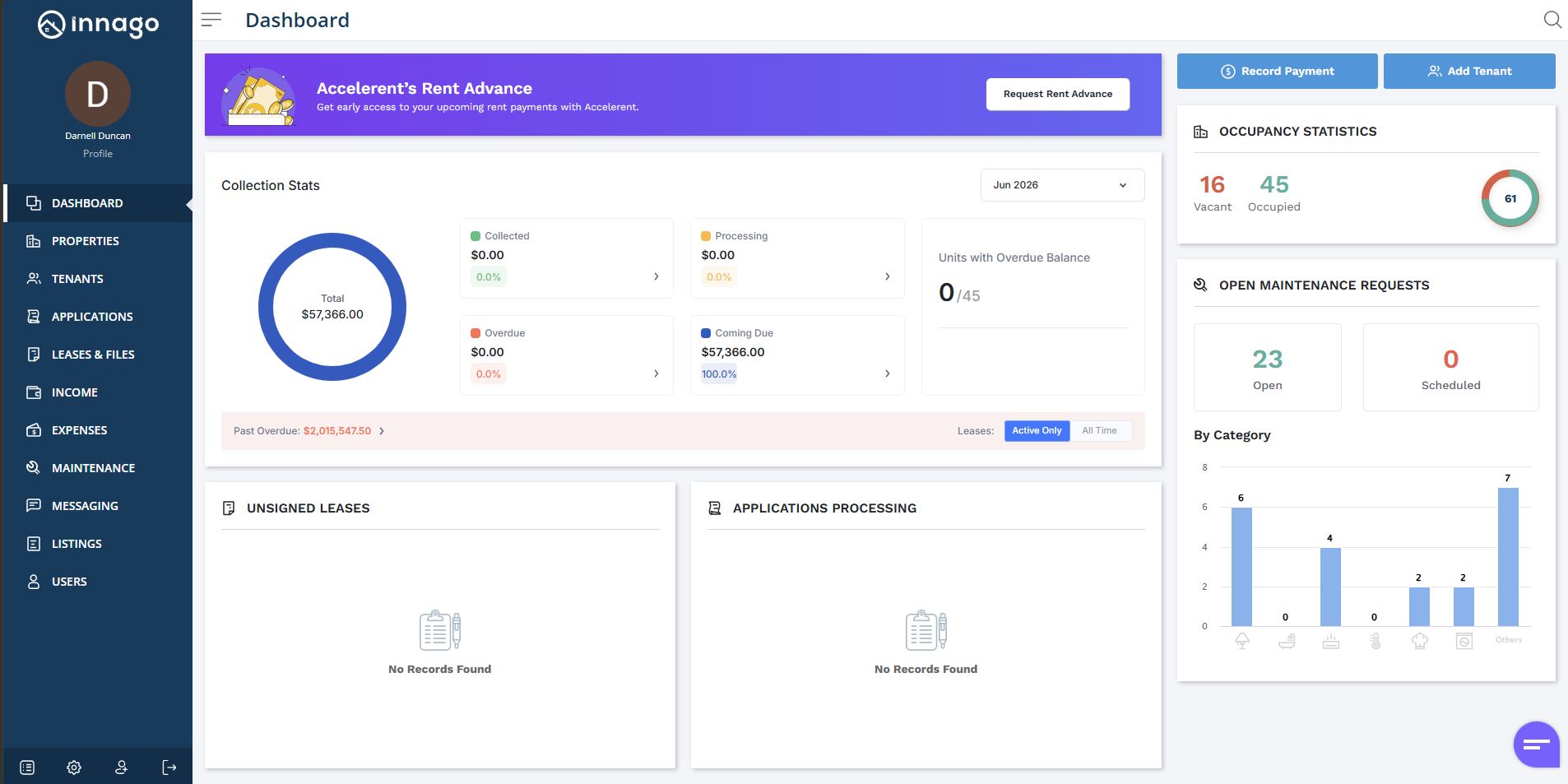
1). From your Dashboard, click “Request Rent Advance”.
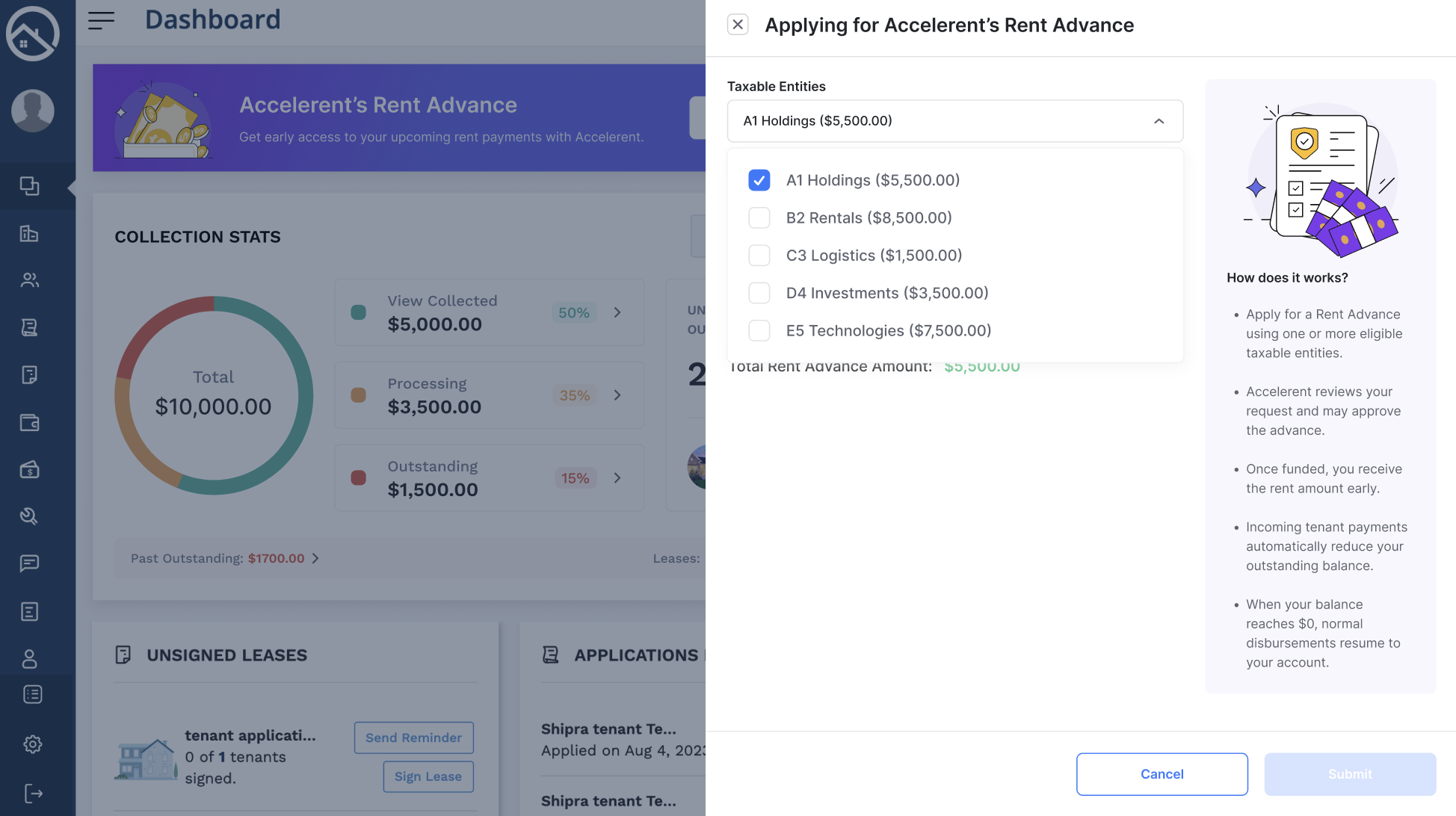
2). From here, you’ll be able to select one or more of your Taxable Entities that you’ve added to Innago.
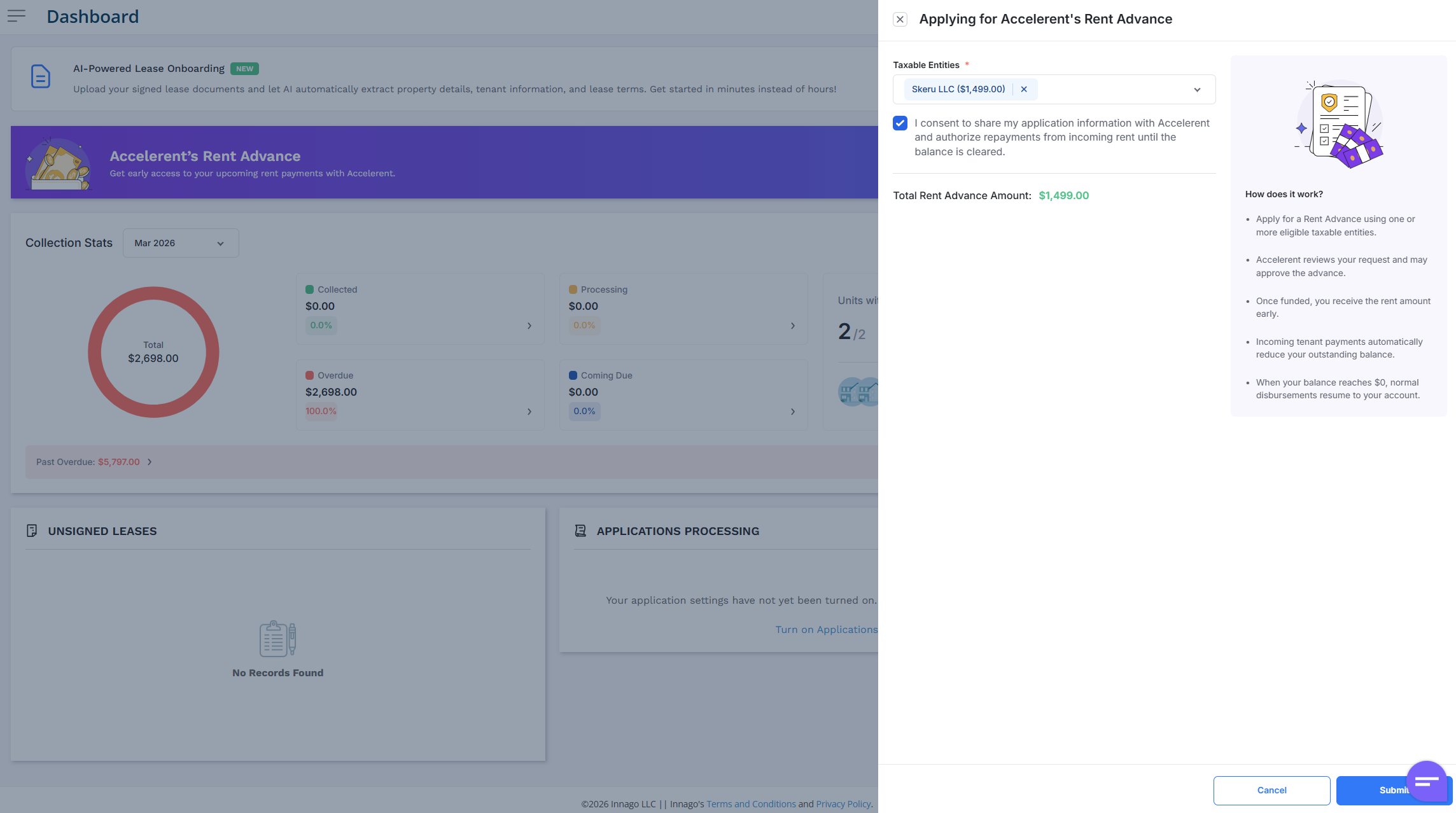
As a last step, you’ll give your consent to share your information and to authorize repayments until the advance balance is clear. After you’ve taken the time to review your selections, click “Submit” to submit your advance application.
3). You can always check on the status of an application via your Settings, under the Accelerent tab. You should be notified of a decision within 1-2 business days. If approved, funds will be received 2 days prior to the upcoming first of the month, minus the 1% processing fee. For example, if you request to advance $1000, you would receive $990 in advance.
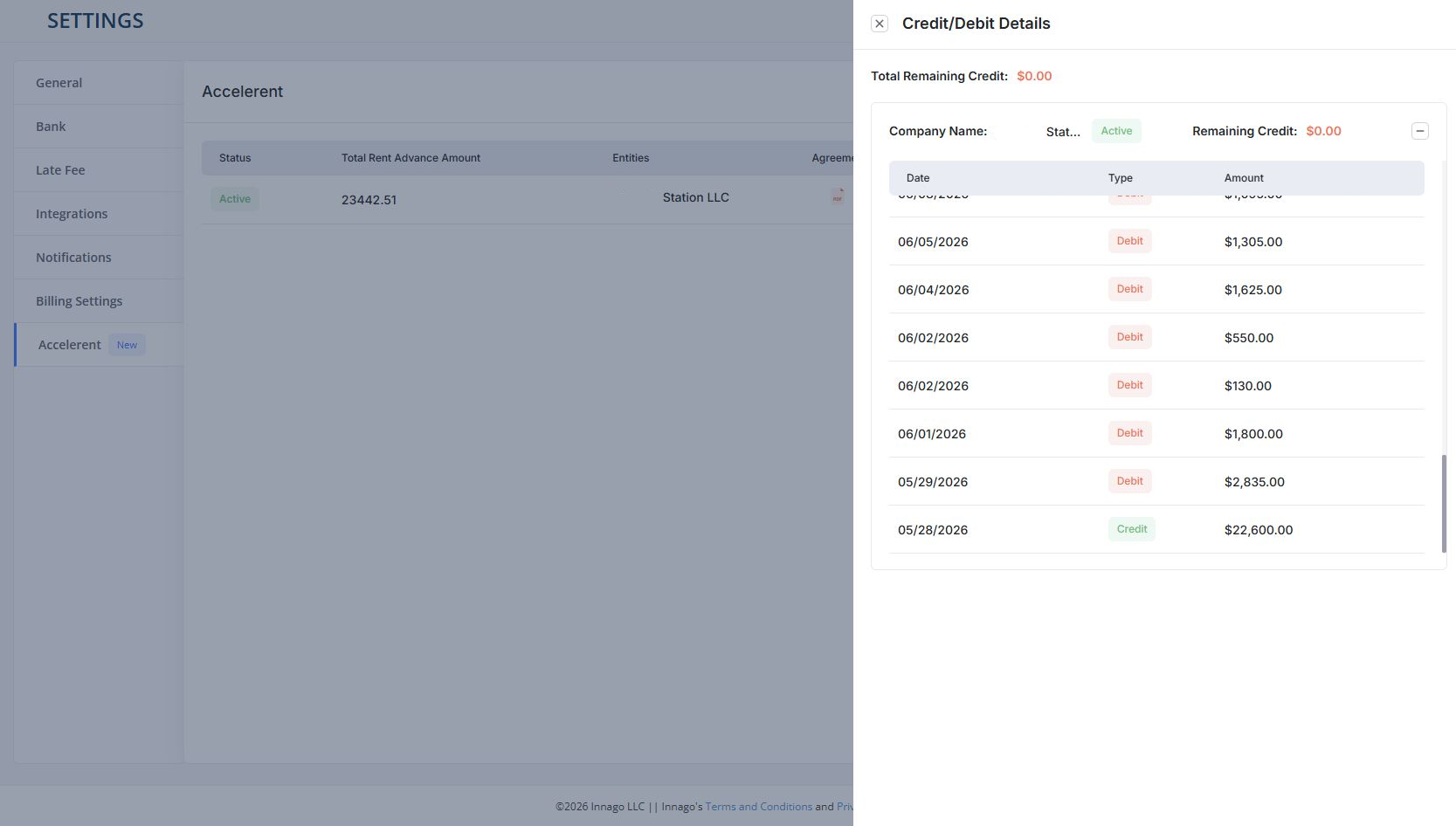
If you’d like to check the current balance owed back to Accelerent, and the full history of credit and debits, just click “Credit/Debit Details” from the Accelerent tab in your Settings.
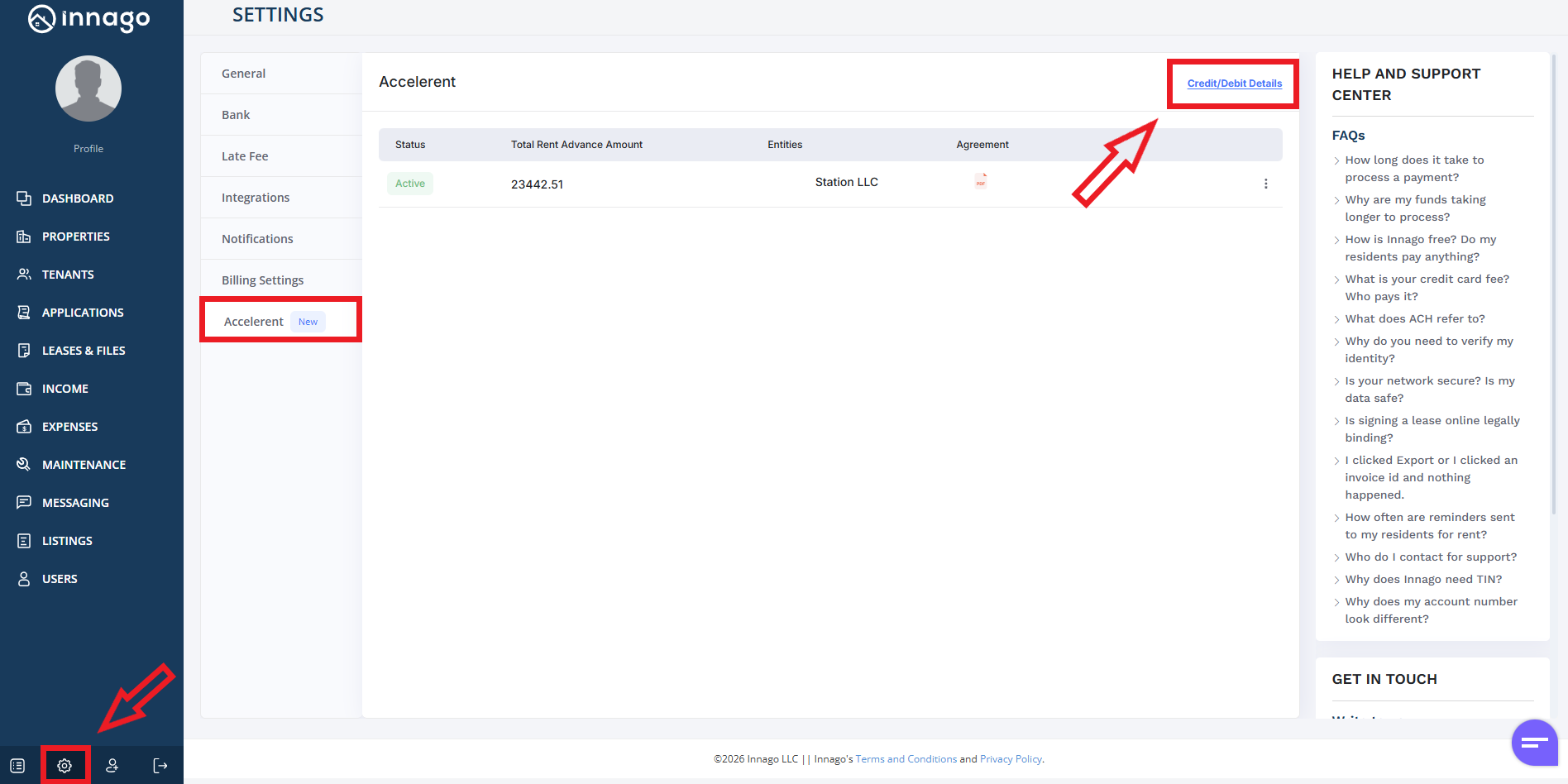
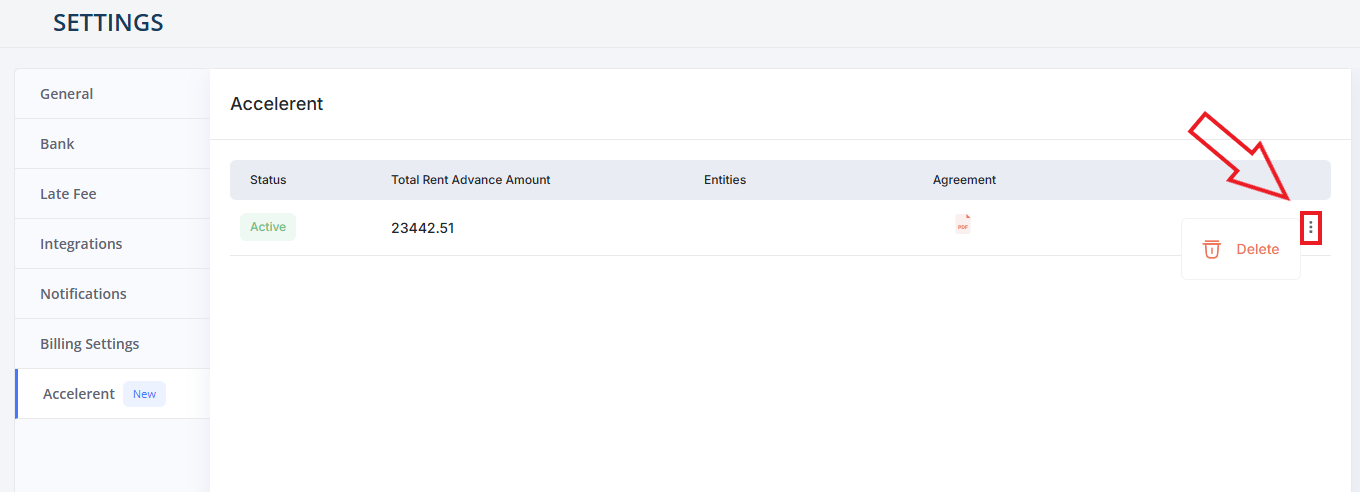
If you’d like to stop receiving advances, you can also cancel your Accelerent payments from the same Settings page. Just click the set of dots next to the entity you’d like to update, then click “Delete”.
For more information, you can visit Accelerent’s website here, or email them directly at support@accelerent.io