
If you ever need to edit an expense, you can easily do so from your Expenses page.
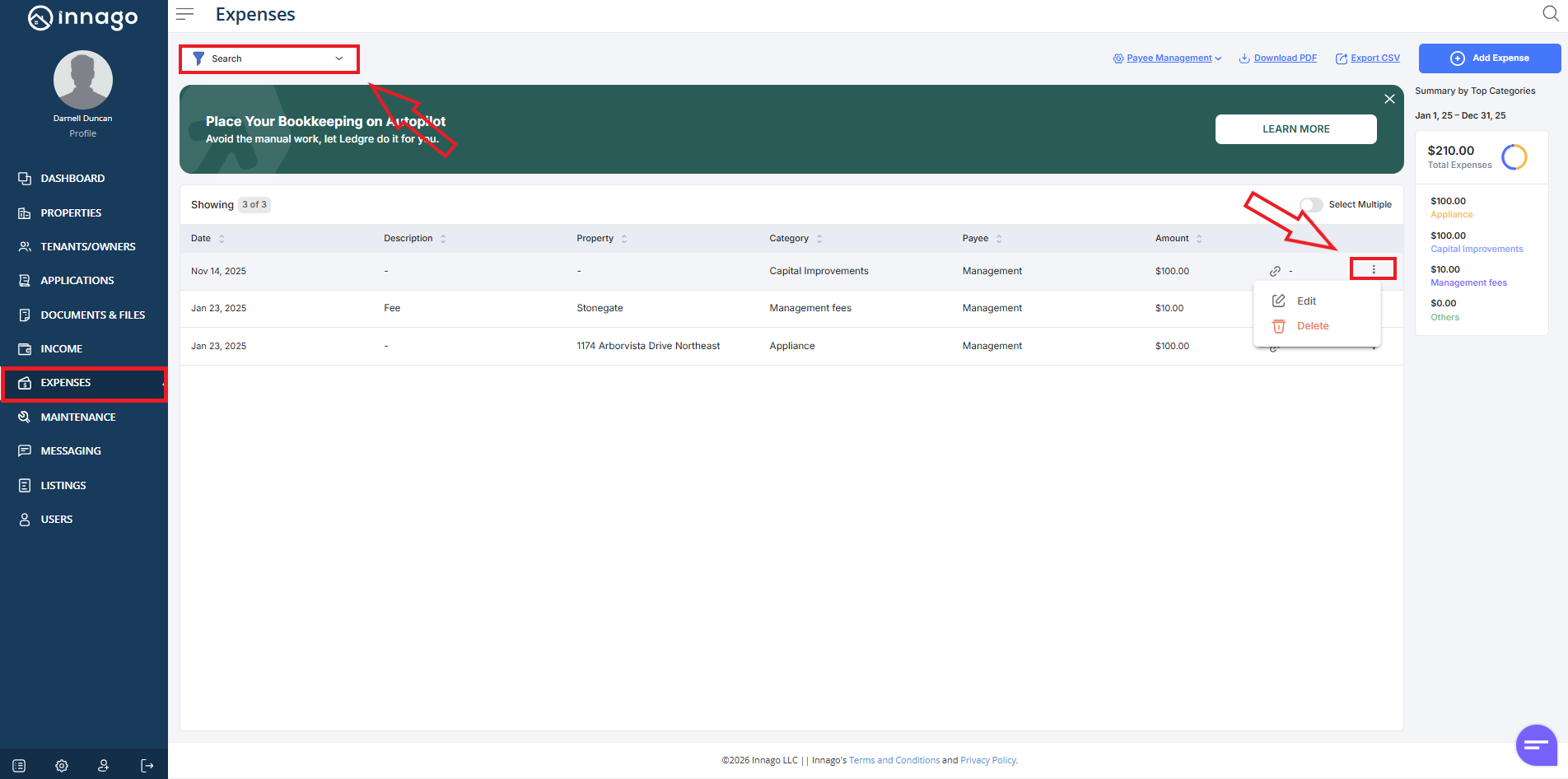
1). Click “Expenses” from the main menu on the left
2). Please note, this page will only display results for the last 30 days by default. If your expense was dated prior to this date range, you’ll need to expand it by clicking the filter tool located near the top left corner of the screen.
3). After selecting the appropriate filters, click the set of vertical dots next to the record you’d like to update. Click “Edit” or “Delete”.
If you need to edit a payee specifically, just click “Payee Management”. Here’s an article with more details on editing a payee.