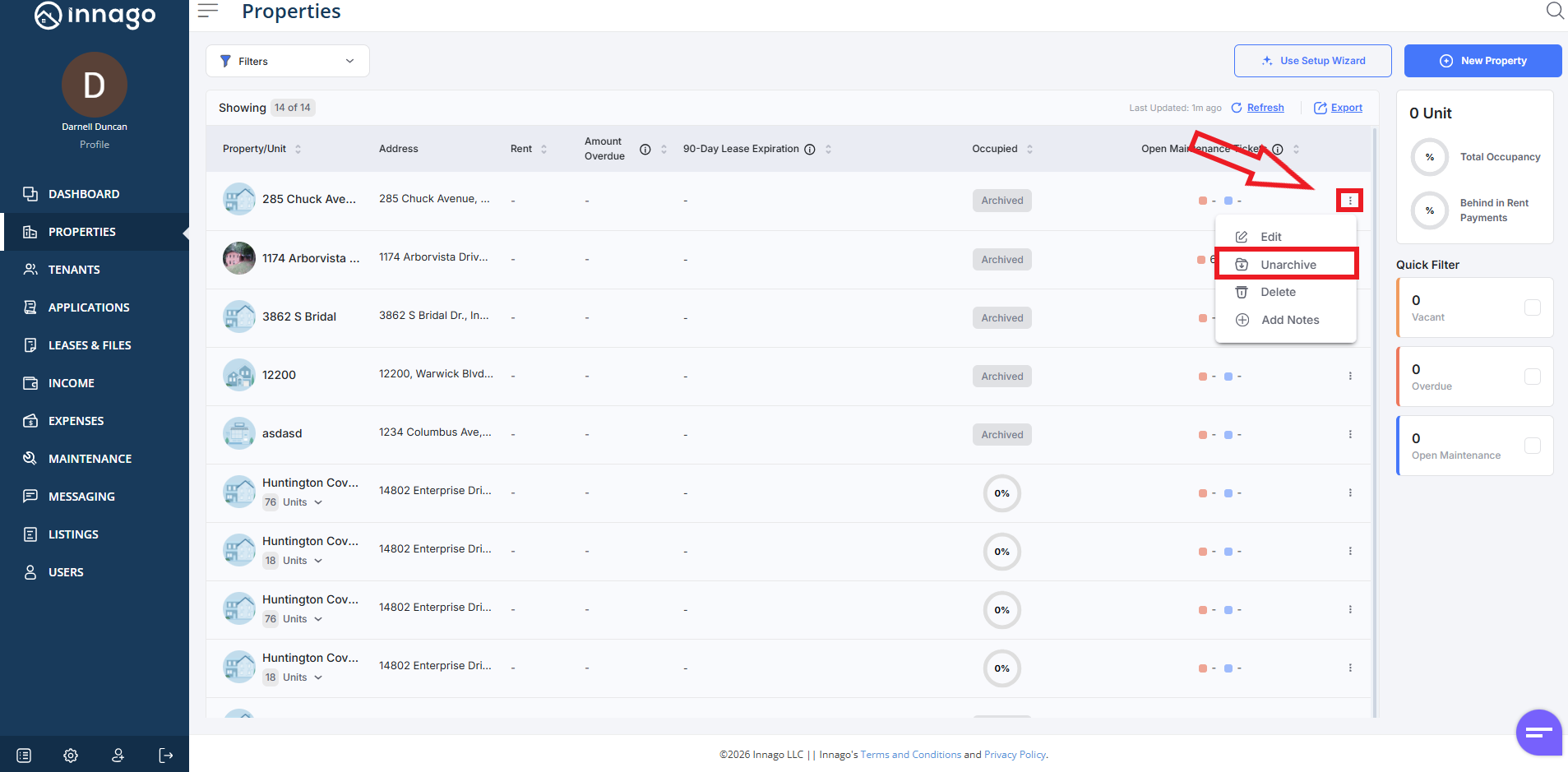
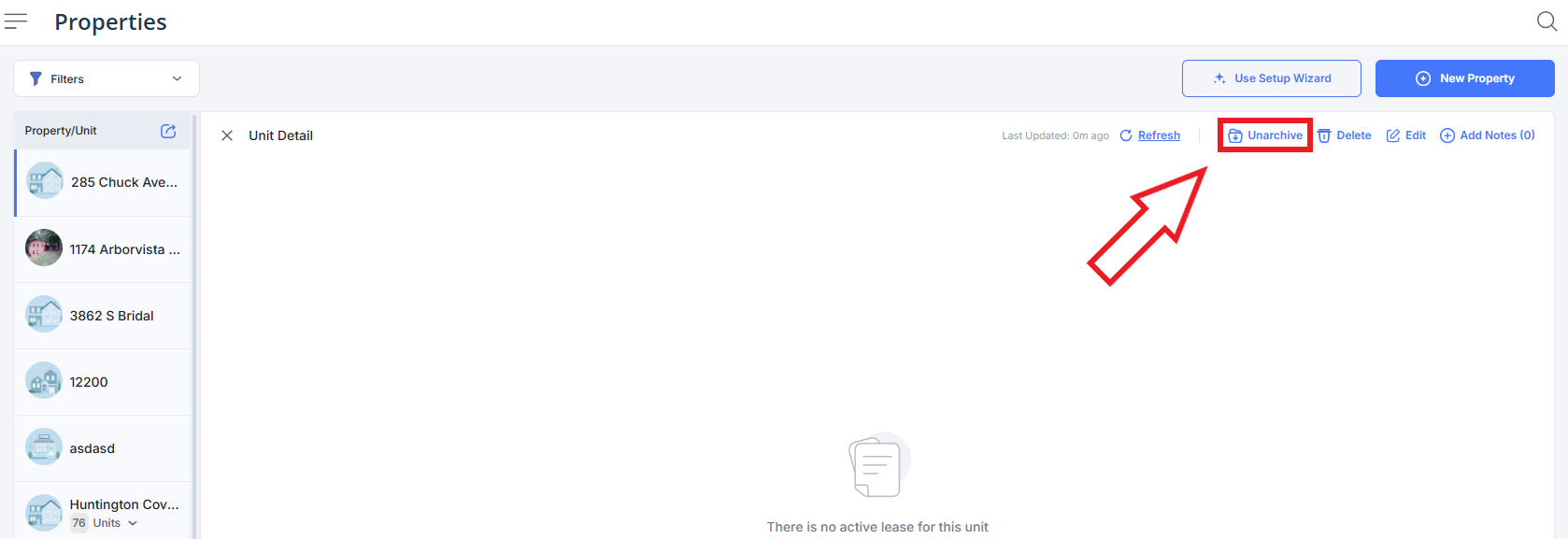
If you’ve ever archived a property, you can always unarchive it by following the instructions below:
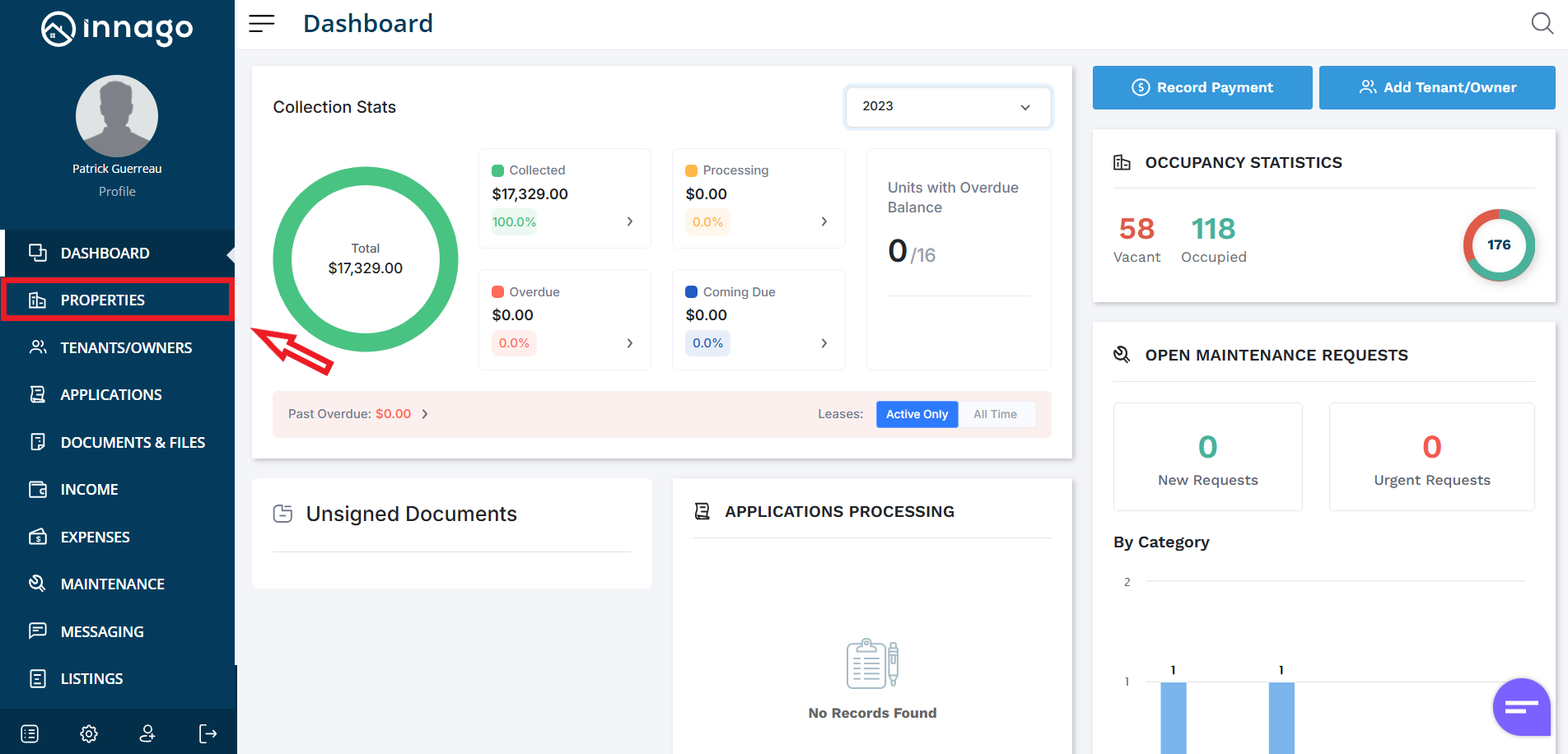
1. From the Innago menu on the left, click “Properties”.
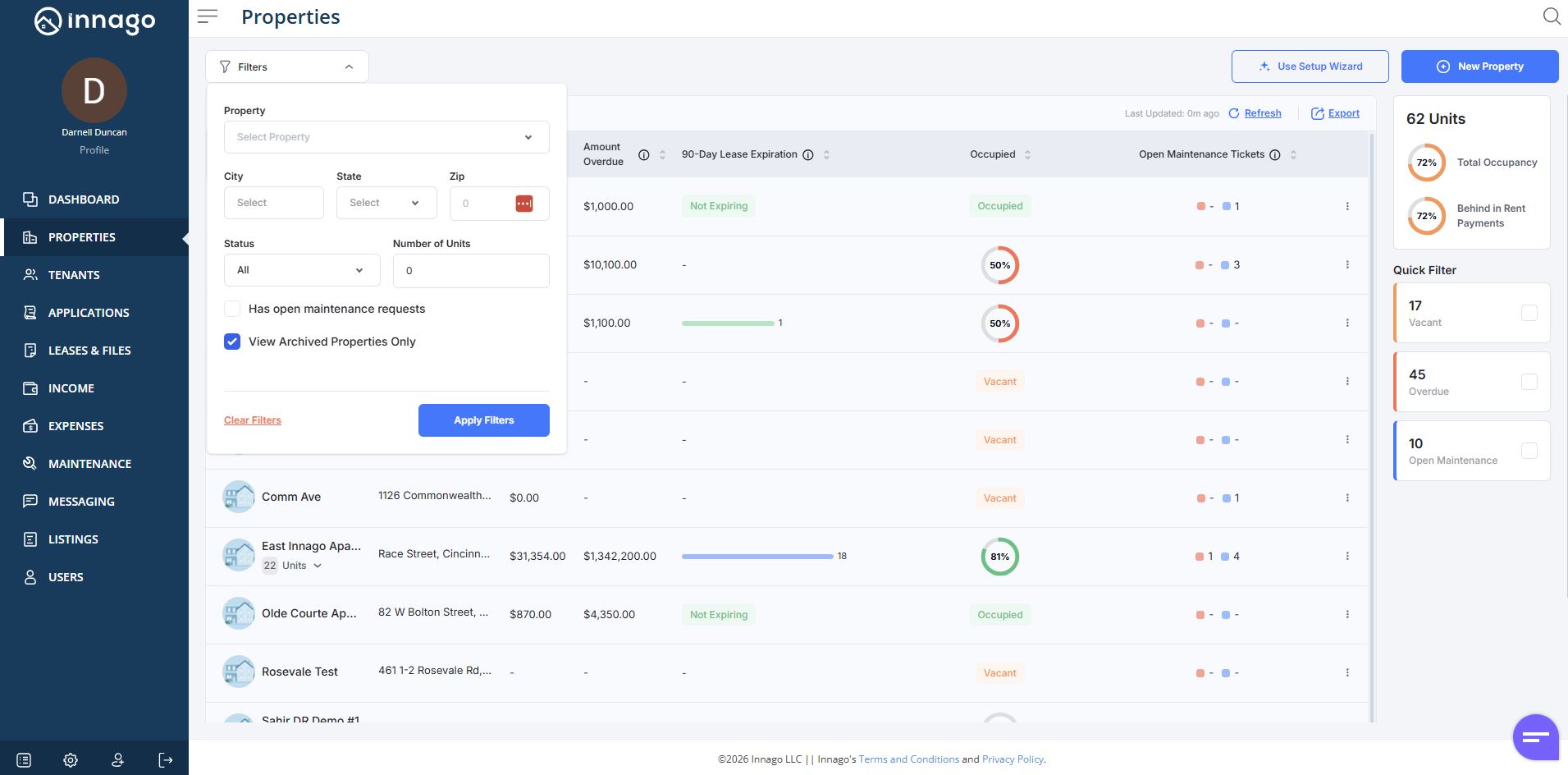
2. Use the Filter Tool near the top of the page and check the box that says “View Archived Properties Only”.
3. Click the set of dots next to the property you would like to unarchive. Click “Unarchive” from the action menu. Please note, you can also click “Unarchive” from the Unit Detail screen if you’ve already clicked on the property, or one of the units directly.