If you and a sub-user both need to sign a lease document, you’ll follow the instructions given here. If you don’t need to sign a lease document, but just need your sub-user to sign instead, they can follow the same steps you would to sign a document:
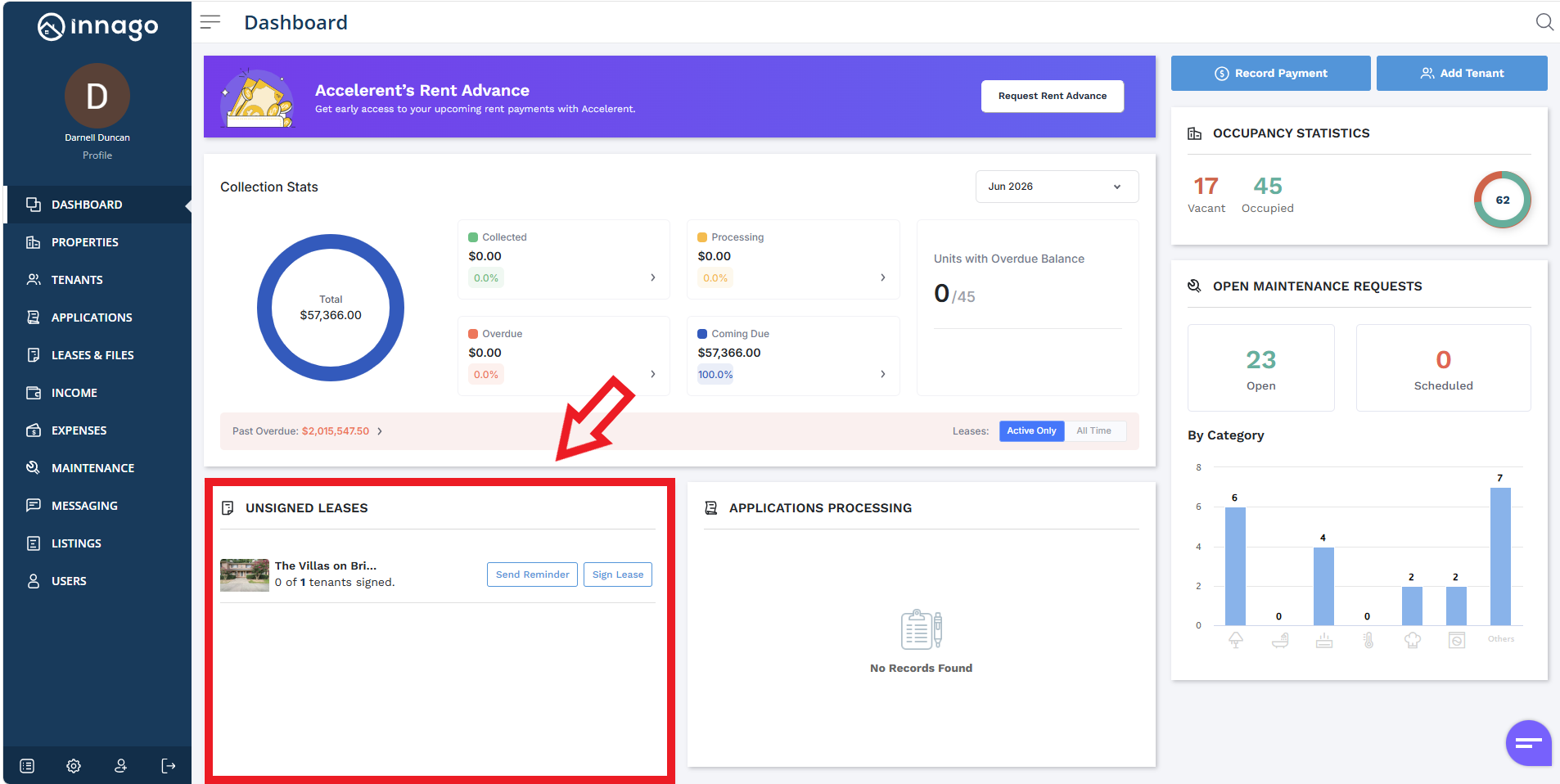
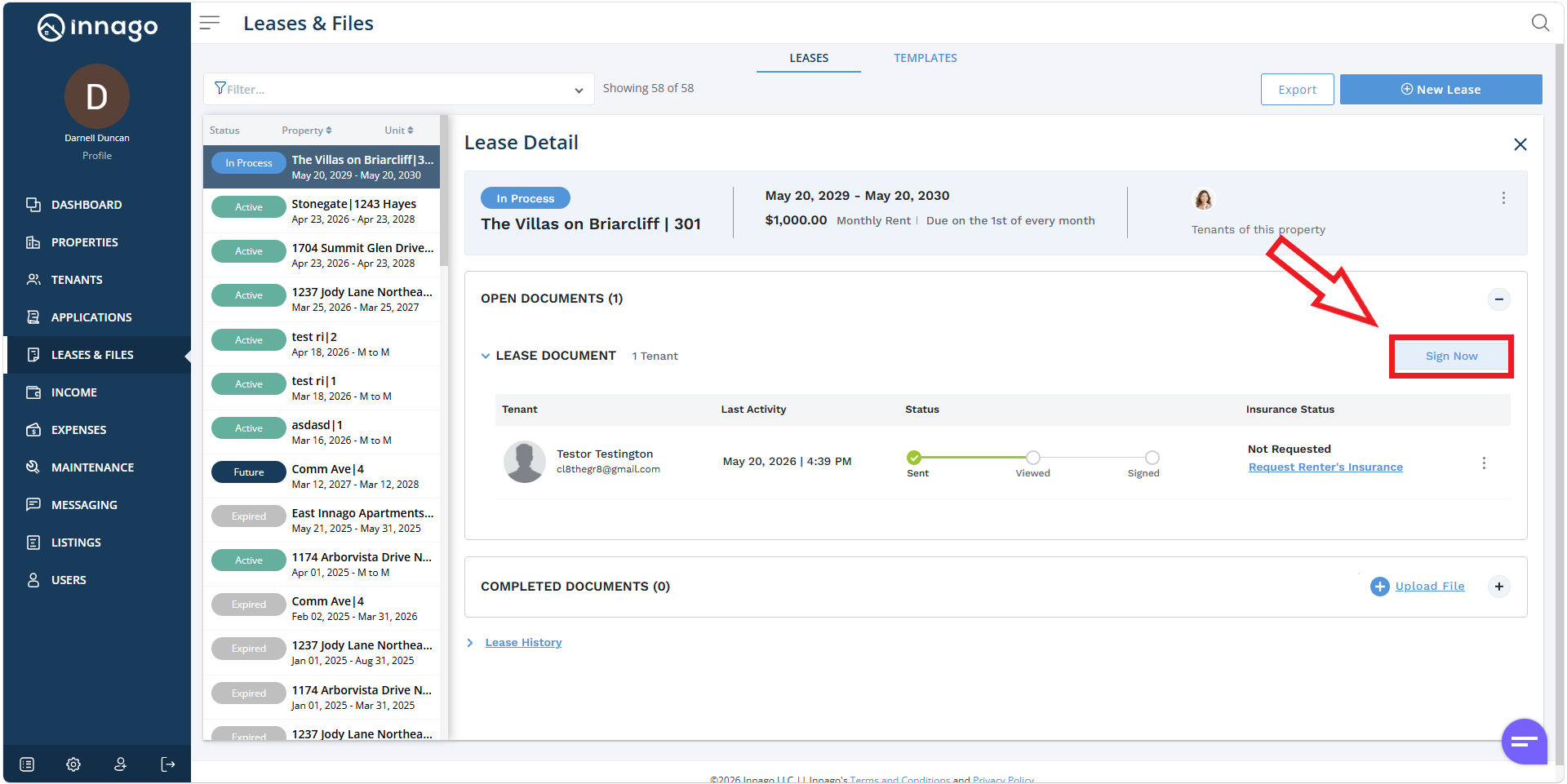
From your Dashboard click “Sign Lease” under the Unsigned Leases section, or click on “Leases and Files” from your main menu on the left, clicking “Sign Now” afterwards.
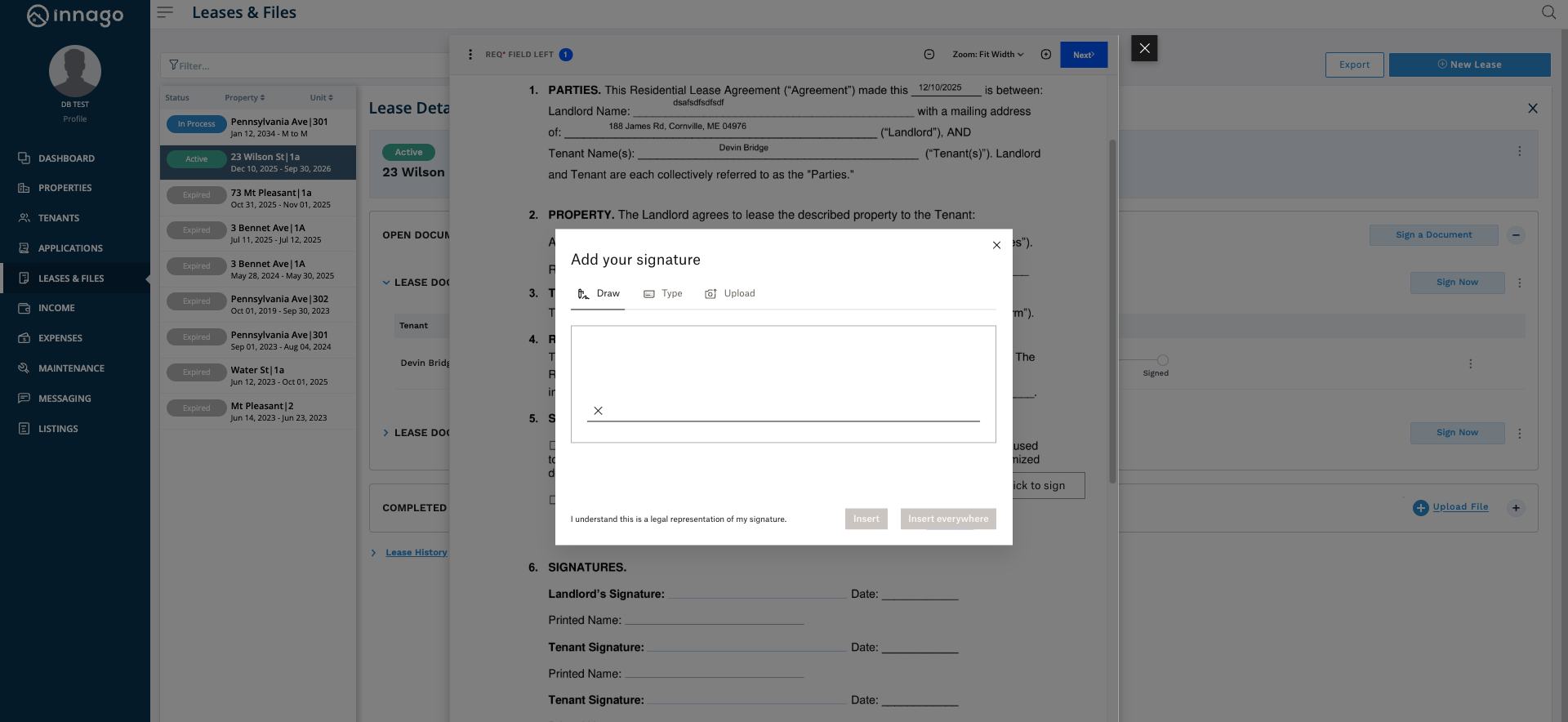
This will initiate the signature phase. You’ll be able to fill in any relevant fields, and sign the document by drawing, typing, or uploading your signature. Once you’ve completed all the required fields and signatures etc., you’ll be able to finalize the document.