Crediting your tenant reduces the amount of money your tenants owe without changing the total due. For example, if your tenant has mowed the lawn this month and you would like to reduce their rent by $50 to compensate them for their service, you can do so by giving them a credit.
1. From the Innago menu on the left, click ‘Income’.
2. Select the invoice you would like to credit.
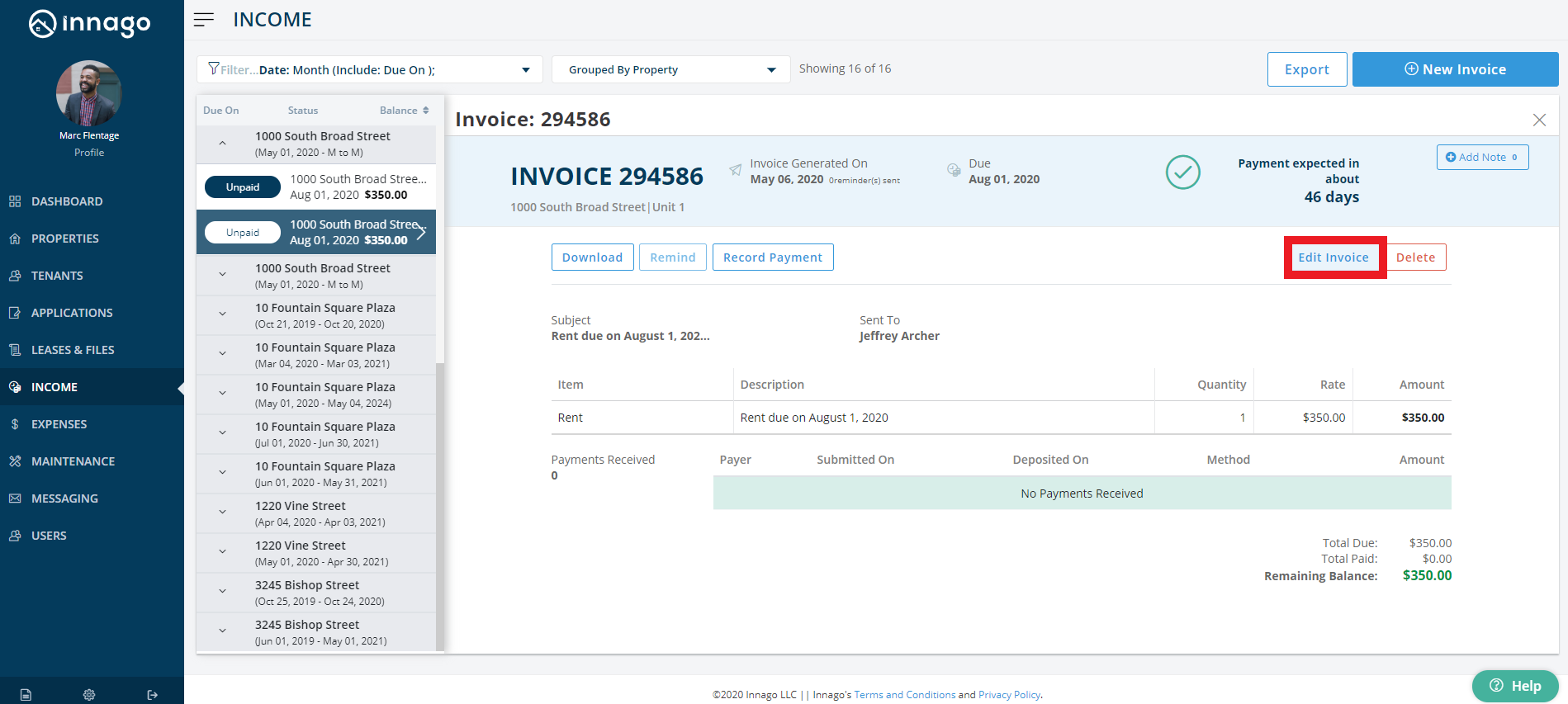
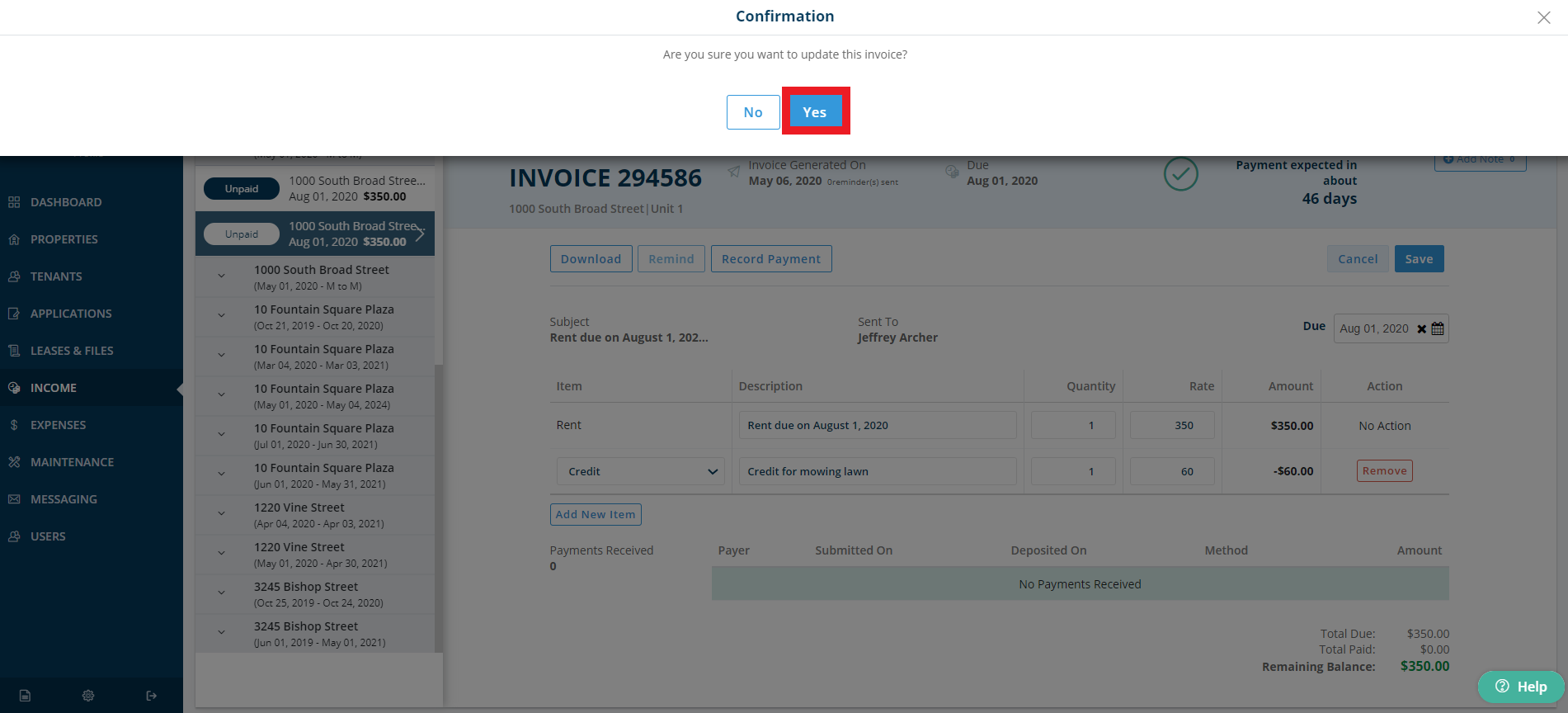
3. On the right side of the invoice, click ‘Edit Invoice’.
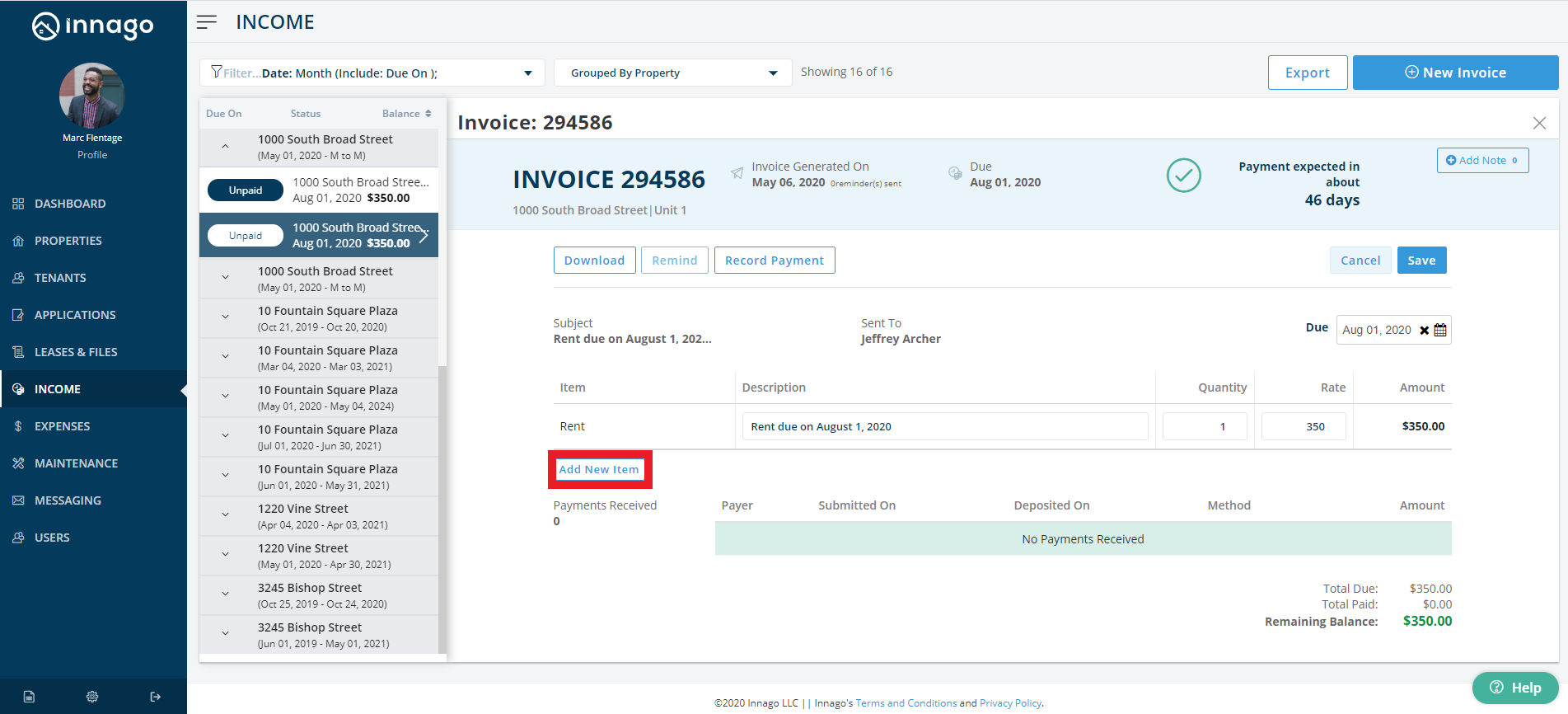
4. On the invoice, click ‘Add New Item’.
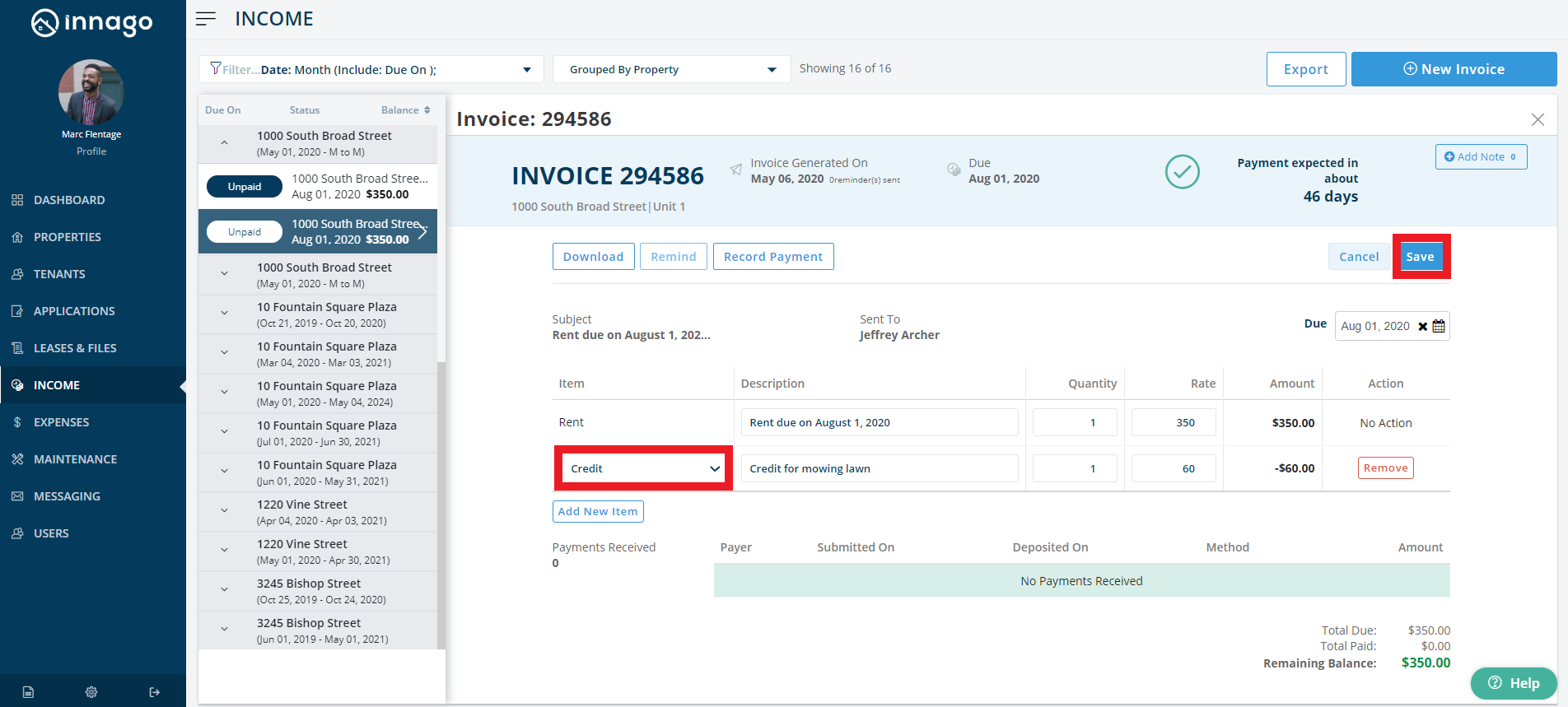
5. From the drop down, select ‘Credit’ and add your credit amount.
6. In the top right corner of the invoice, click ‘Save’.
If you are using the mobile app, you can create recurring invoices by following a similar process.
1. From the home screen you are going to go to your Income tab and filter to select the invoice you would like to credit.
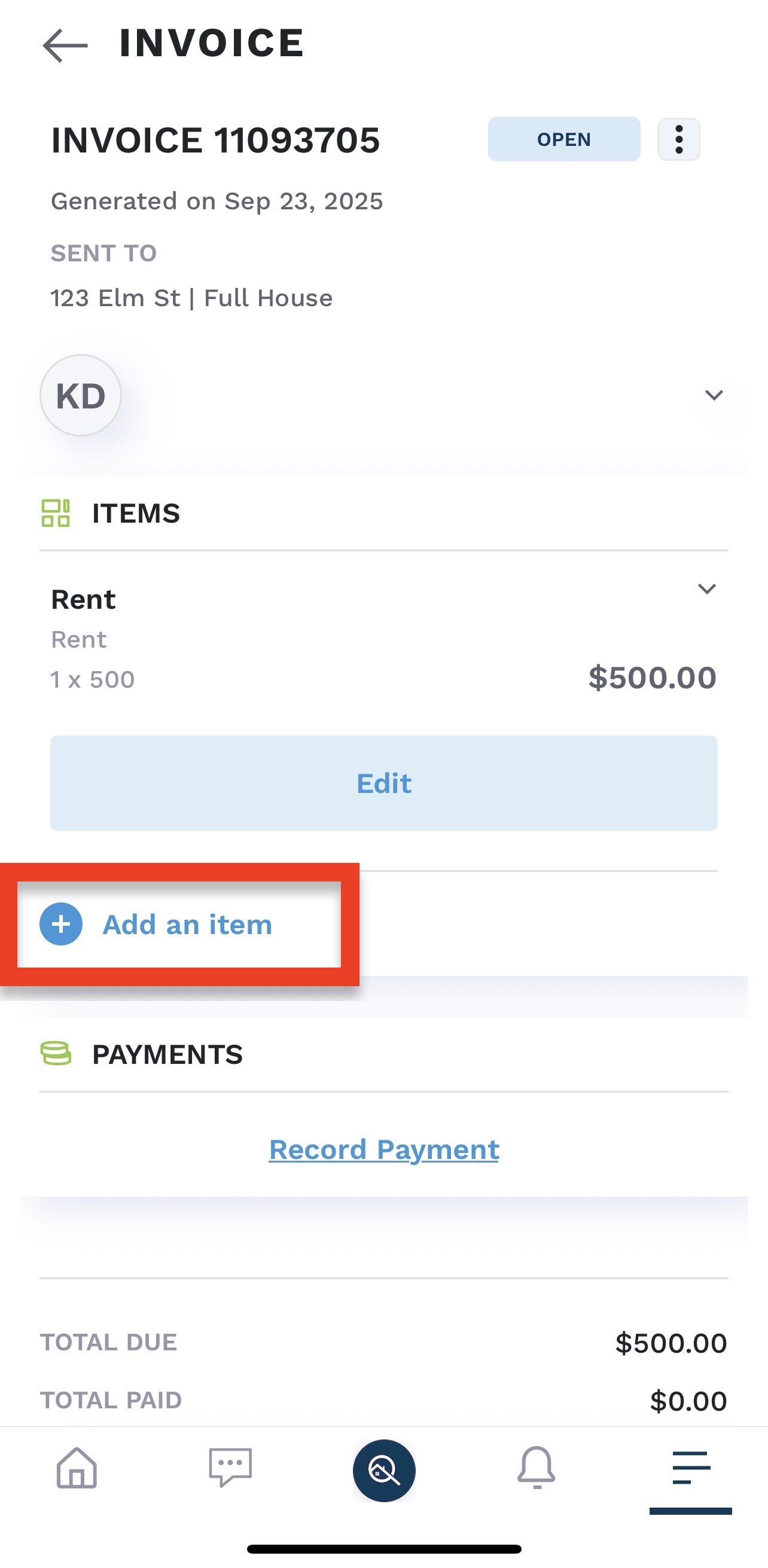
2. Click “Add an Item” on the invoice.
3. Under the “Item” section, click on the dropdown arrow and select “credit.”
4. Enter in the rate, quantity, and any description you may want to include and click “add item.”
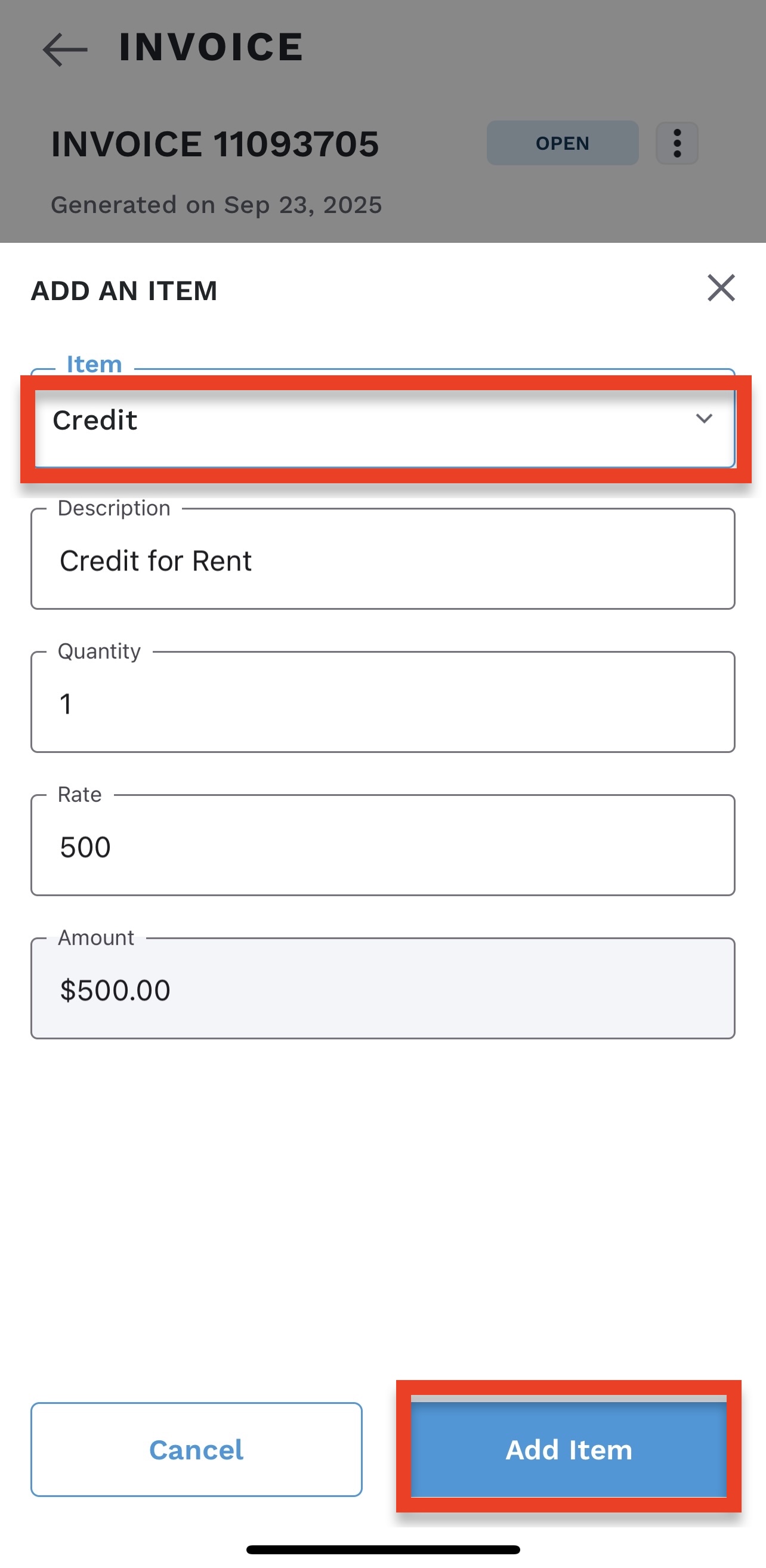
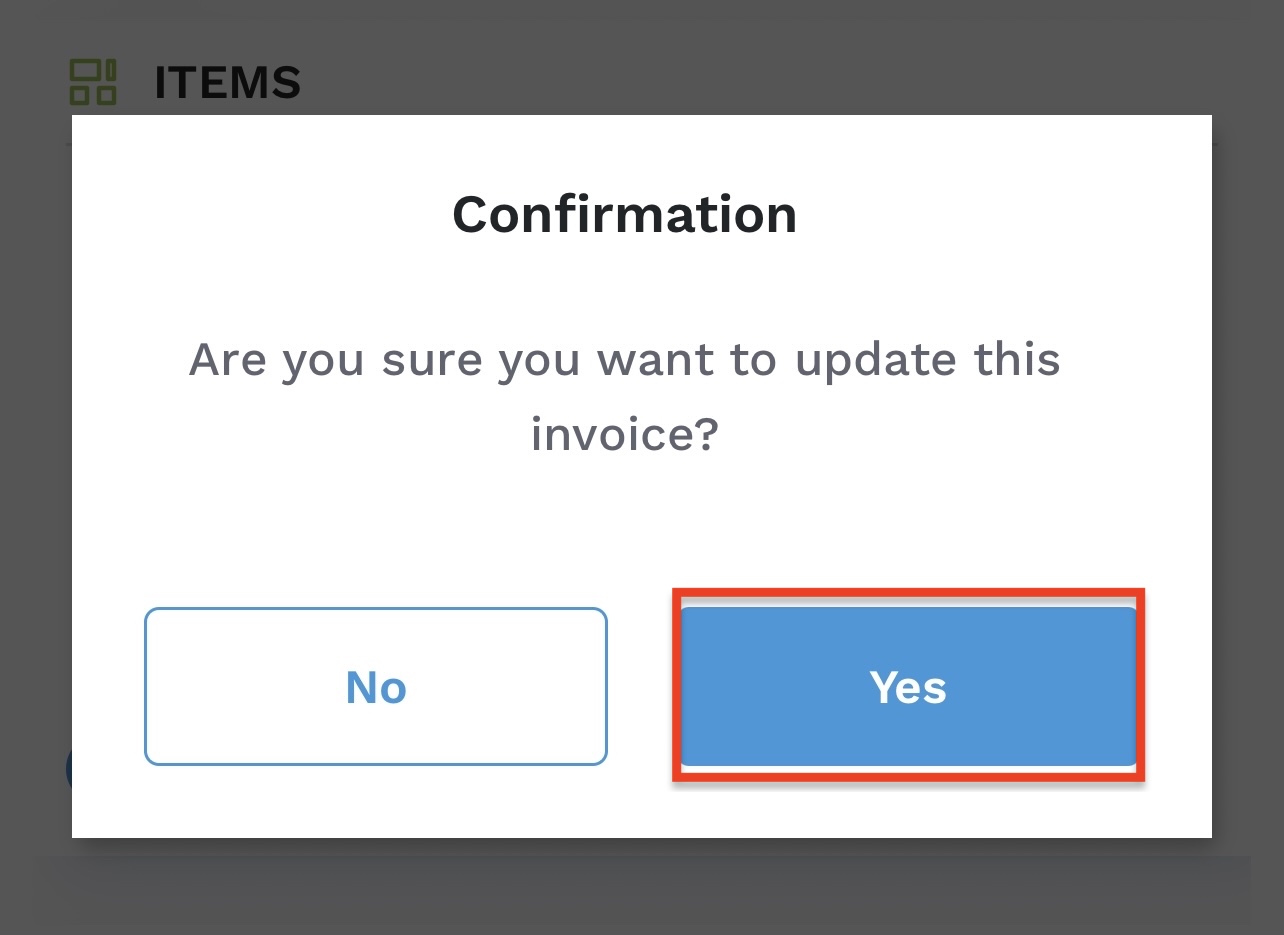
5. A confirmation pop-up will appear asking if you would like to update your invoice. Click “yes.”