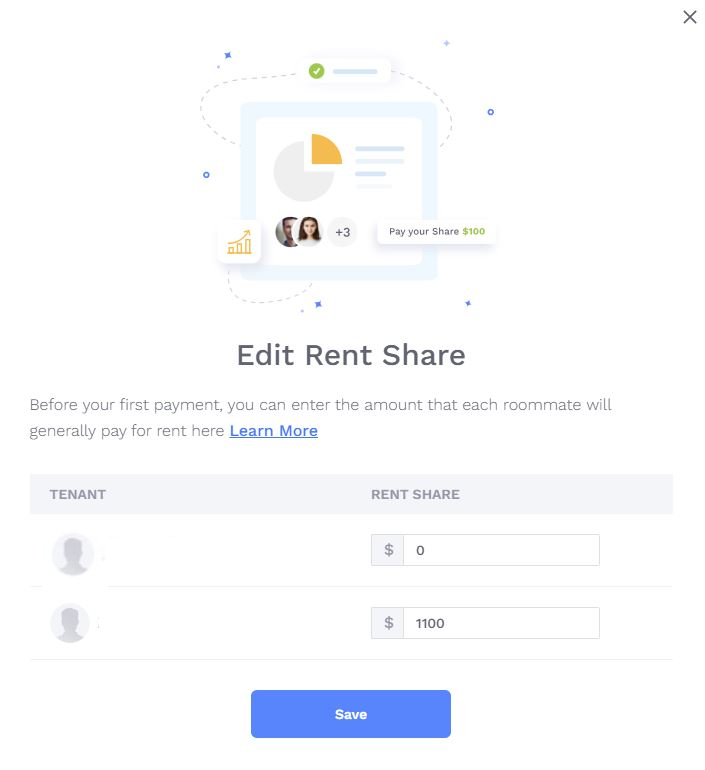
When you’re added to Innago, your landlord/property manager will set your initial rental share between you and any other tenants on the lease term. Usually they will use the system default, an even split between however many tenants are entered on the lease. For example, if you’re on a lease with one other tenant, the system will default to an even, 50/50 split.
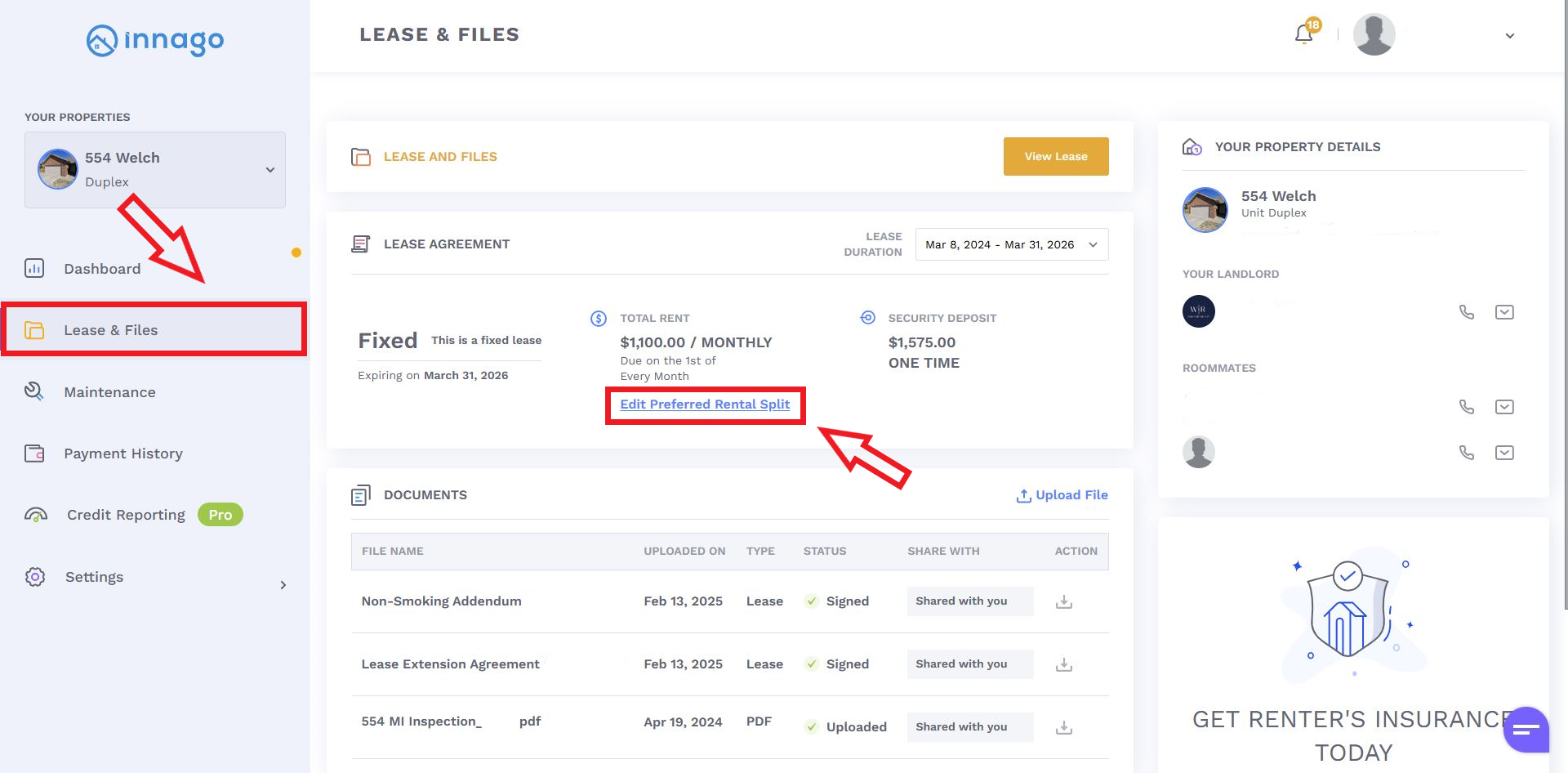
If you need to change the rental split so that your “Suggested” payment amount appears differently, you can easily adjust this from within your account. You’ll just go to Leases & Files from your main menu, then click “Edit Preferred Rental Split”:
After clicking “Edit Preferred Rental Split”, you’ll be able to make adjustments and save them. Please note, this will only apply to the base rent. If your landlord has added any additional fees, such as utilites, parking etc., those will not be reflected in the total amount here. The adjustments you make here will have to equal to the total base rent, and can’t exceed that amount.