
In Innago, you cannot create lease terms that have overlapping start and end dates. If you’re in the process of creating a new lease term, and you receive a message that there’s “already a previous lease term with overlapping dates”, you’ll have a few options to resolve this. The resolution will depend on the scenario.
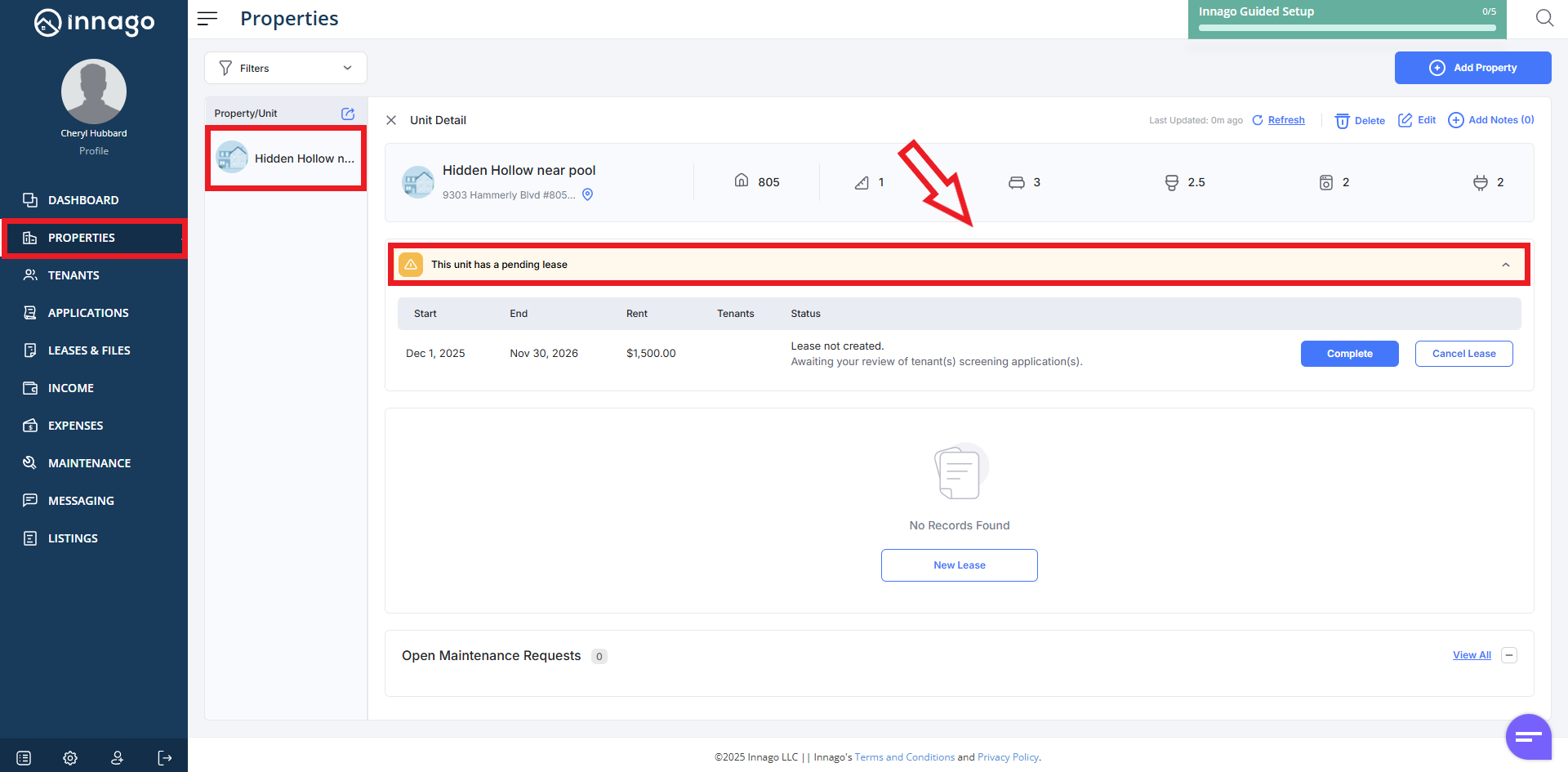
If there is no visible, active lease term, this likely means that there is a pending lease that you’ve already started in the system. You’ll just visit your Properties page, select the property (or unit, if there’s multiple units), then click “This unit has a pending lease” as shown below:
If there is an active term in the system, you’ll simply need to terminate that current lease. When terminating the lease, you will need to change the lease end date so that there is no longer any overlap. For more instructions on terminating leases, click here.
If there is an expired lease term that you can no longer terminate or edit, you’ll actually select the “Renew” option, then the “Renew & Extend” option so that you can update the end date of the old lease term (you’ll be able to back-date it). For more instructions on using the renewal feature, click here.