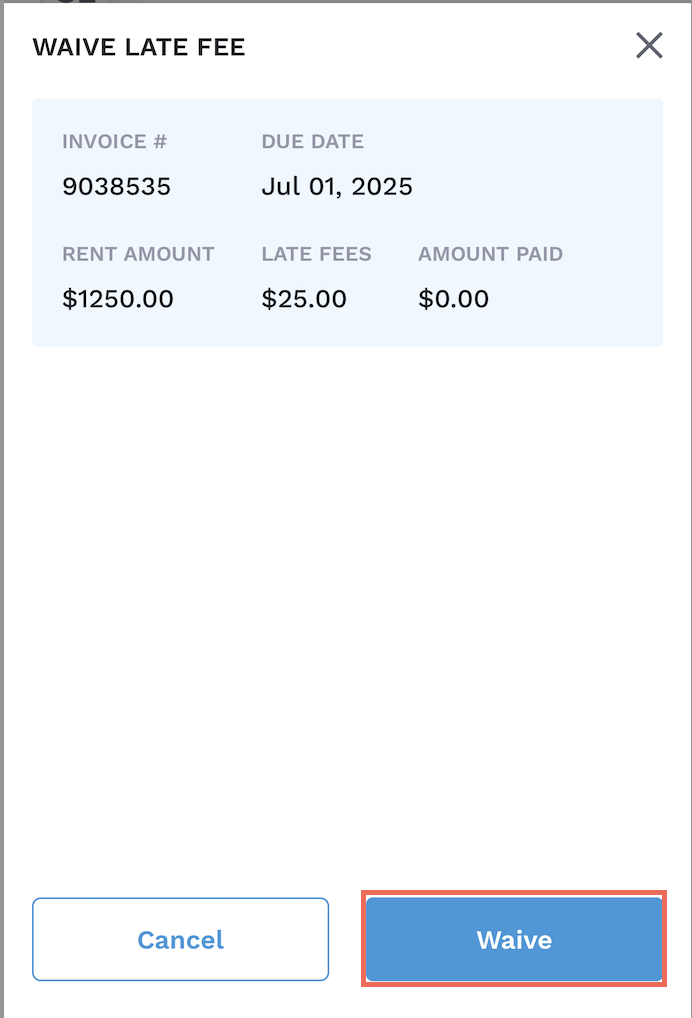
Sometimes, it’s important to forgive your tenants for late fees. Innago allows you to waive your tenant’s late fees should you wish to do so.
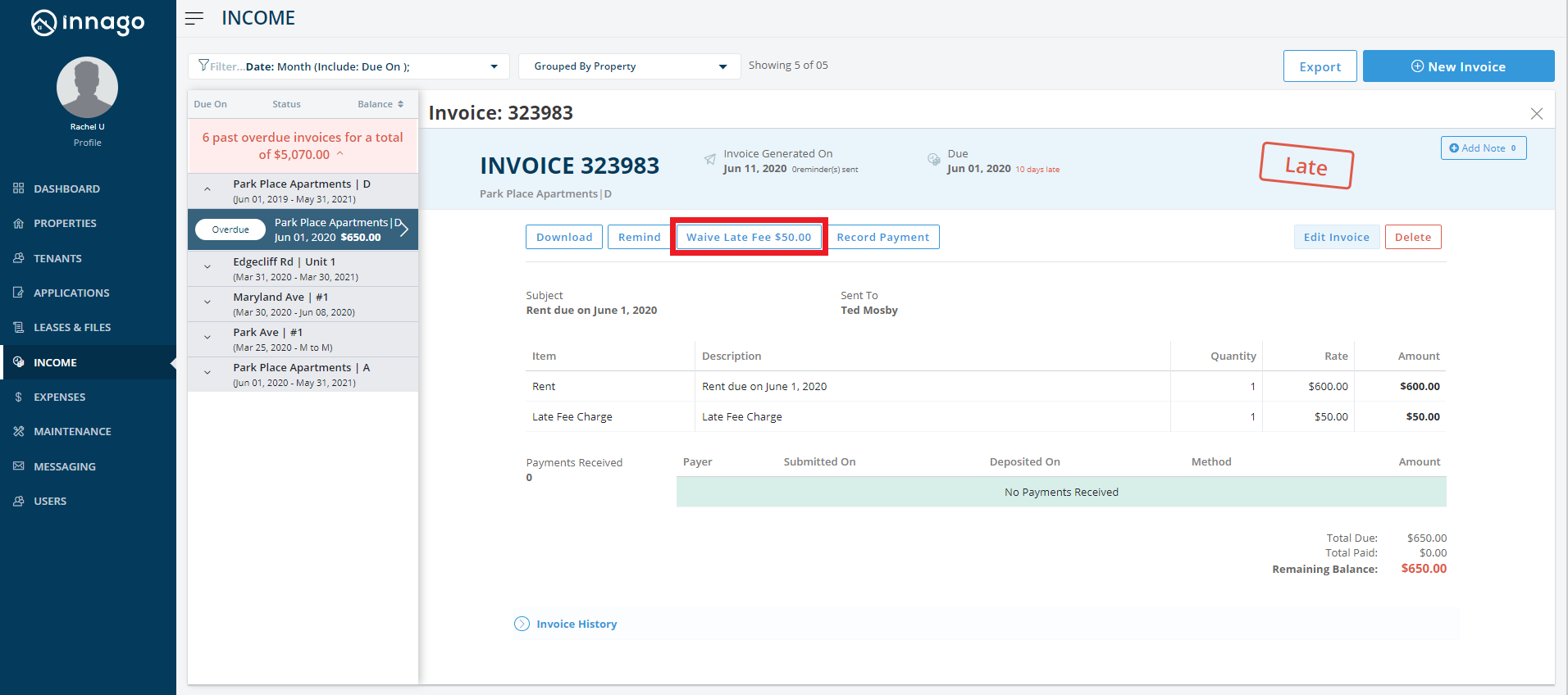
1. From the Innago menu on the left, click ‘Income’.
2. Search for and select the invoice with late fees you want to waive.
3. On the top of the invoice, click ‘Waive Late Fee’.
4. On the pop up that appears, click ‘Waive’.

If you are using the mobile app, you can waive late fees by following a similar process.
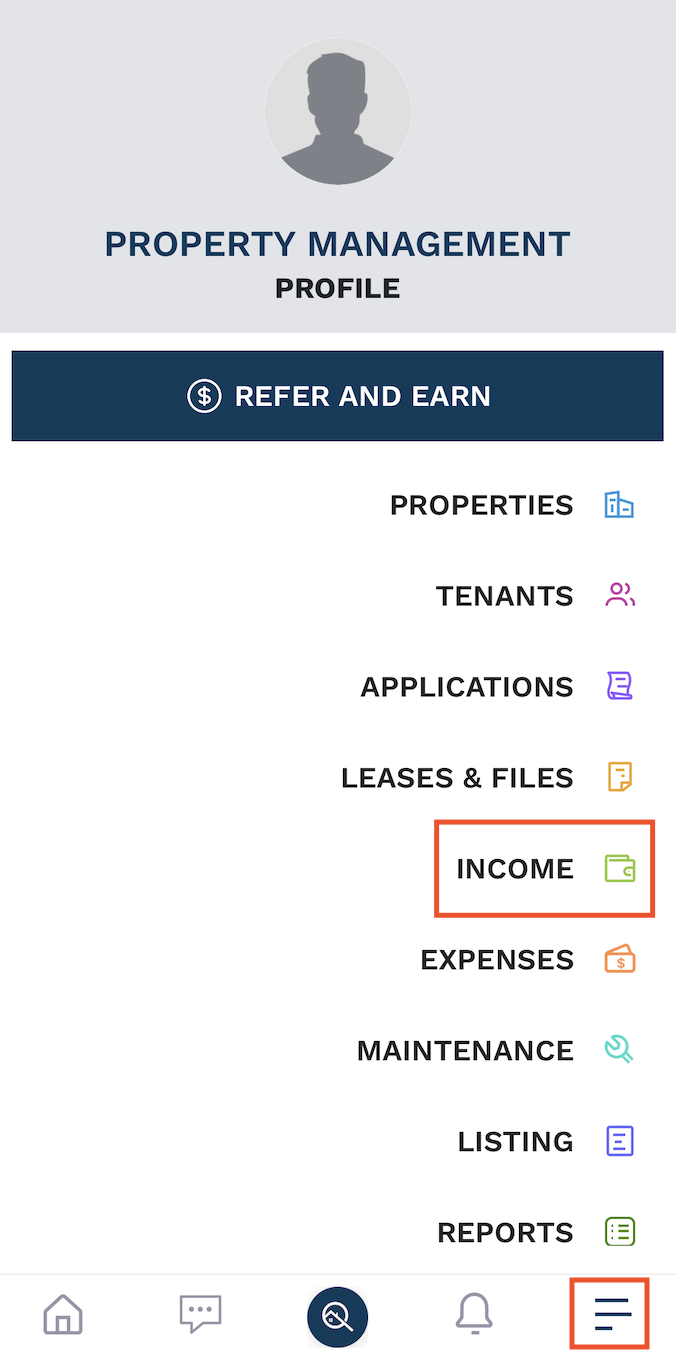
1. Click the 3 horizontal lines on the bottom right hand corner and select ‘Income’.
2. Search for and select the invoice you would like to add items to. You can use your Filters to find the invoice you need to edit. Please note, by default, the date range will be limited to the current month.
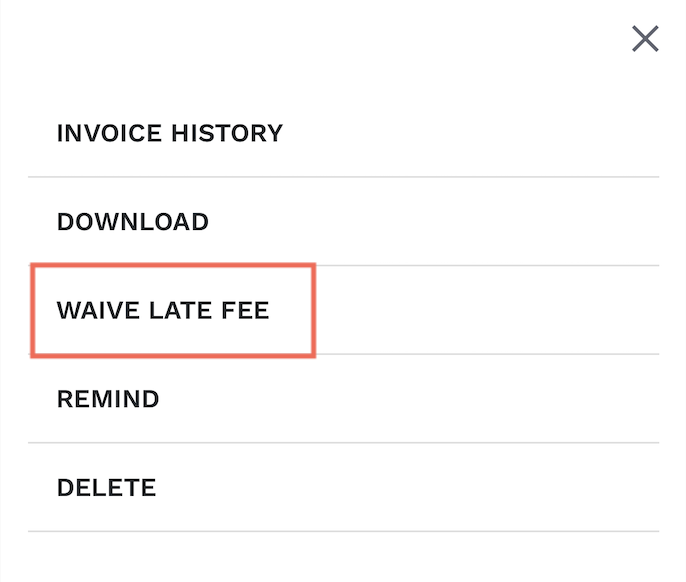
3. Click the 3 vertical dots in the upper right hand corner.

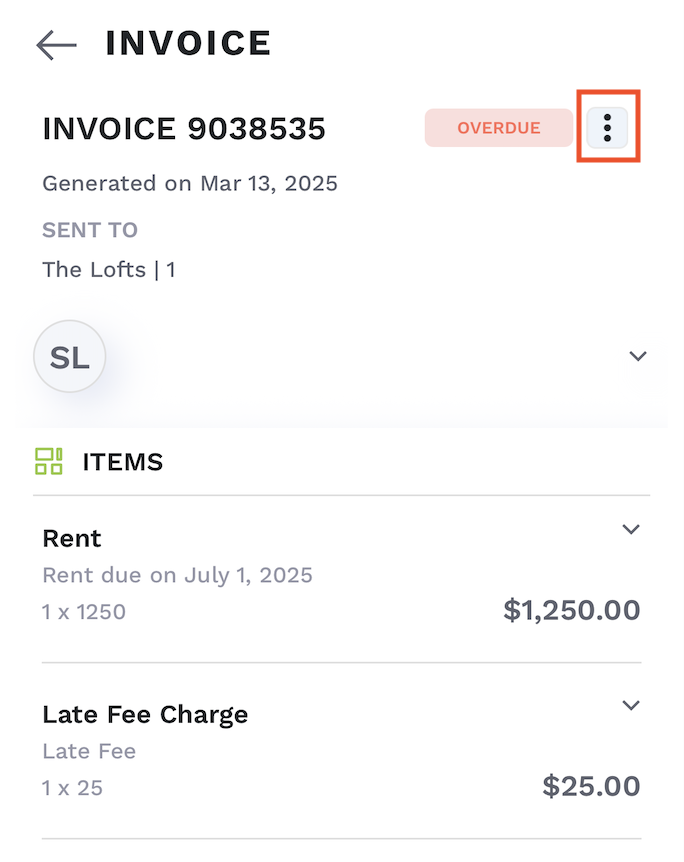
4. Select ‘Waive Late Fee’.
5. Click ‘Waive’.