
If you need to pro-rate rent, edit a first and last month’s rental invoice, or any other future invoices etc., using your Rent Schedule can be a simple solution.
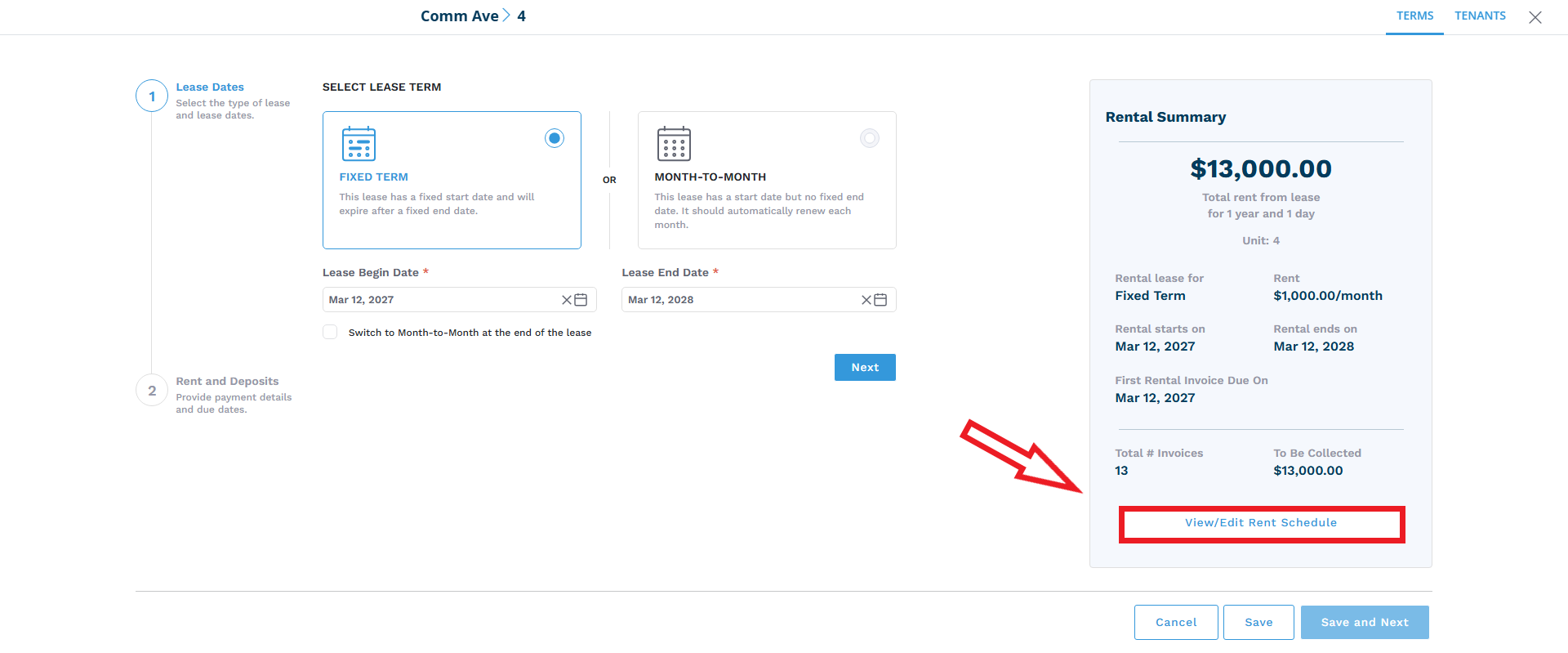
When creating a lease term in Innago, after you’ve set the rent amount, payment frequency, and first rental invoice due date, you’ll have the ability to manage all of these invoices by clicking “View/Edit Rent Schedule”. If you’ve already created a lease term, you can still edit terms and edit the rent schedule by going to Leases and Files > Select Lease > Edit Terms.
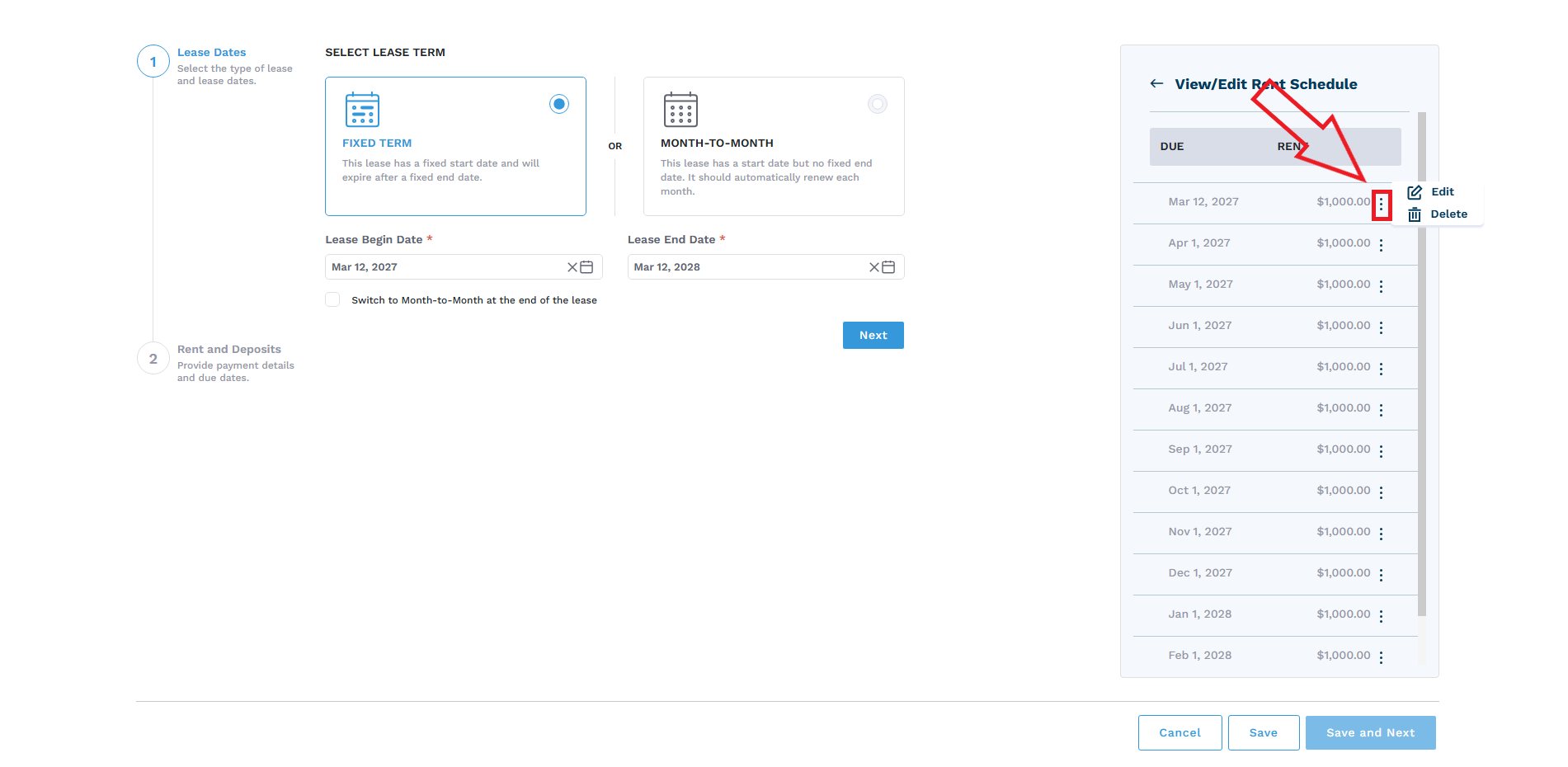
After clicking “View/Edit Rent Schedule”, you’ll see a full list of invoices based off of the lease terms you’ve set up. You can click the set of dots to the right of each invoice record to edit or delete invoices. This is especially useful for pro-rating rent, “first and last month” rental invoices etc.
Please note, month-to-month lease terms will have an ongoing 12 month set of invoices. For example, if the first rental due date is January 1st, the last invoice in the list will be dated December 1st. Once we get to the date of February 1st, the last invoice generated will be dated January 1st of the following year.
If you’d like a more detailed view/breakdown of your invoices, you can also manage them via the Income page. Please see our article on editing invoices from Income here.